
Best Maps & Navigation App 2026
GPS Location Tracker Plus
Anuoluwapo Product Limited· Maps & Navigation
Award score
- Award score
- 3.9Rating
- 1,000,000+installs
- Free
App information
Screenshots
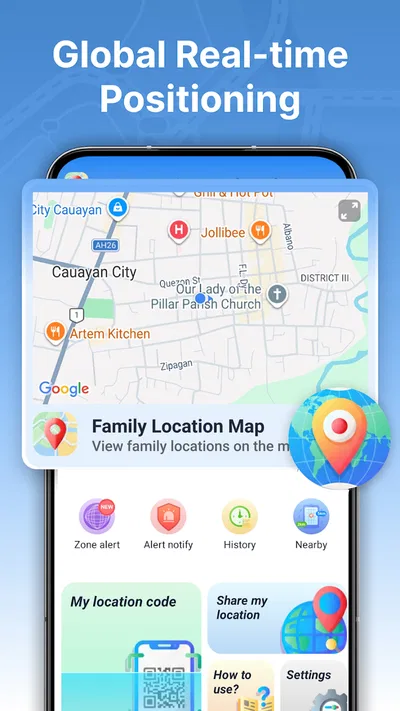
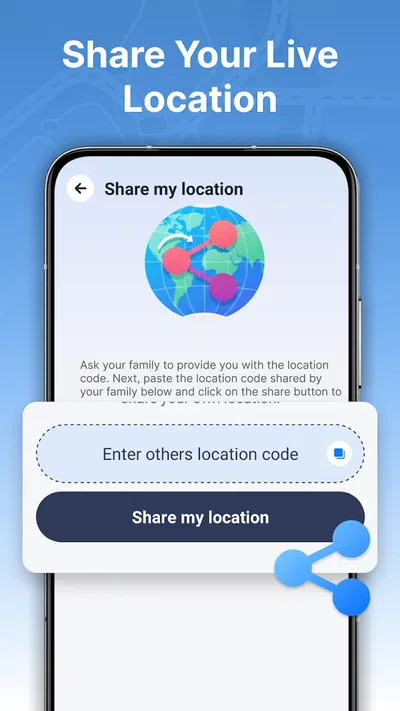
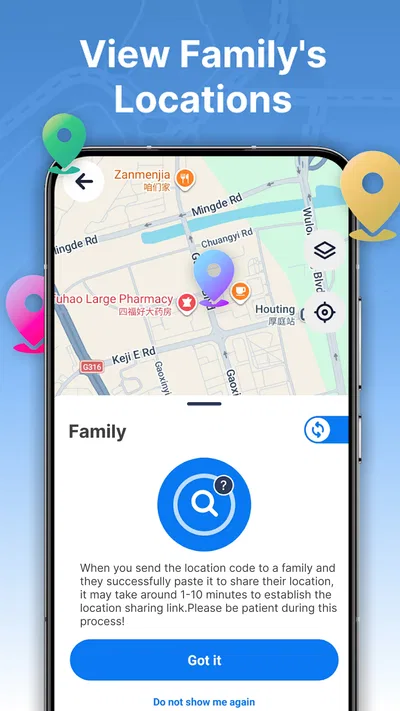
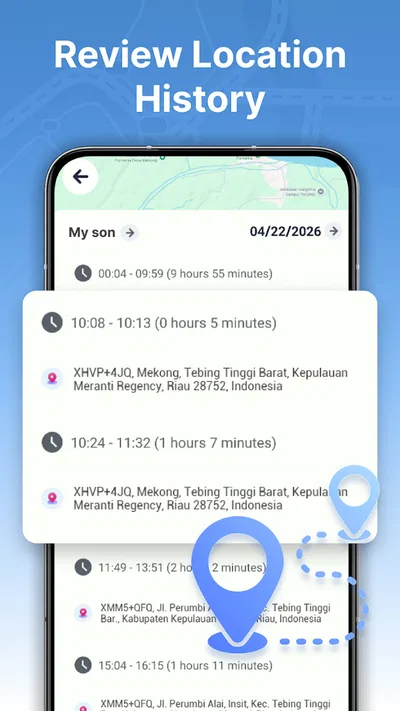
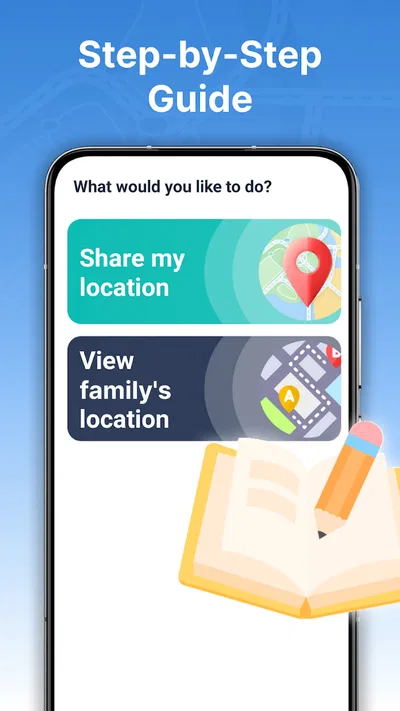
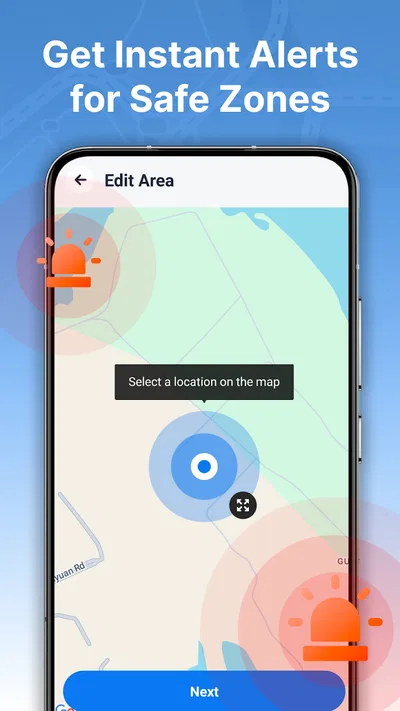
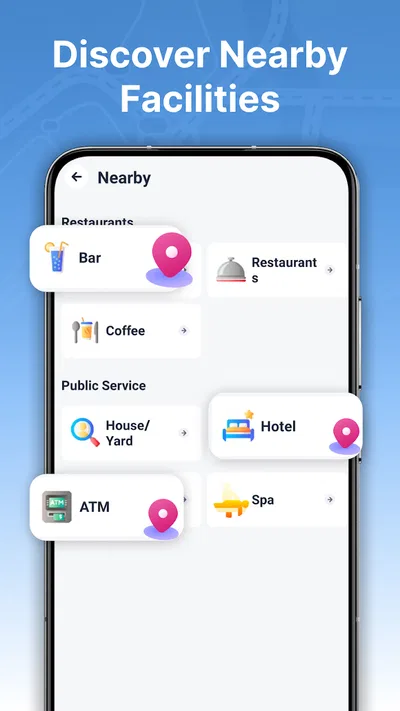
 Analysis byAppsAward
Our review of GPS Location Tracker Plus
When I choose a family location app, I look past the map pin. The useful questions are whether sharing is straightforward, whether alerts can help with a real routine, and whether everyone involved is comfortable being tracked. GPS Location Tracker Plus is aimed at that practical middle ground: it lets people share their location, follow it in real time, and set alerts around a safe area. I’d consider it for a small circle that wants a shared view of everyday journeys, rather than for someone looking for a full navigation or emergency-response tool.
What matters before you invite anyone
Location sharing only works when the people in the group agree to use it and understand what it is for. Before setting up any family tracker, I’d talk through who can see whose location, when sharing is useful, and what to do if a phone is switched off or a person’s location seems stale. An app can make coordination easier, but it cannot replace a call or a direct check-in when something feels wrong.
The other decision is whether you want tracking or navigation. GPS Location Tracker Plus belongs to the maps and navigation space, but its focus is location awareness and safe-area alerts, not turn-by-turn directions. If your main need is finding a route, comparing travel times, or navigating an unfamiliar city, a dedicated maps app is the more natural choice. If you want relatives to be able to see where one another are during normal routines, this app is closer to the job.
I’d also treat the safe-area feature as a prompt for coordination, not as proof that someone is safe. An alert can help a family notice that a person has entered or left a place they care about, but it does not explain why that happened or guarantee a response. That distinction matters particularly for caregivers: agree on a sensible follow-up plan instead of assuming that an alert alone solves the problem.
A good fit for everyday coordination
The strongest case for this app is a family or trusted group whose members have recurring journeys and want fewer “Where are you?” messages. For example, a parent could use a safe-area alert to stay informed about a child’s arrival at a familiar destination, while the child knows that sharing is part of the arrangement. The benefit is not merely seeing a dot; it is having a shared expectation about when a check-in may be useful.
It can also help adults coordinating pickups or meeting across a busy area. Rather than sending repeated messages with rough descriptions, group members can use shared location as context and then agree on a precise meeting point. I would still send a short message when the plan changes. A map can show movement, but it cannot tell you whether someone has stopped to help a friend, taken a detour, or simply put their phone away.
For a less obvious use, think about setting a safe area around a regular destination rather than trying to watch every movement. A narrowly useful alert can reduce the need to keep opening a map, while a broad or poorly chosen area may create noise and make people ignore notifications. I’d start with one place that matters to the group, see whether the alert is genuinely helpful, and only then decide whether more are worthwhile.
What the product offers—and what that means in practice
The app’s purpose is easy to understand: it combines real-time location sharing with safe-area alerts in a GPS tracking tool. I like that this is a focused use case rather than a promise to handle every kind of trip. An app used to coordinate relatives has different priorities from a route planner, and the main value here is a shared picture of whereabouts rather than a catalogue of places or travel directions.
That focus also sets expectations. Location quality and timing depend on the phone and its ability to determine and share its position. If someone’s device has no connection, is out of power, or is not updating as expected, a tracker may not reflect what is happening right now. I would never use a displayed location as the sole basis for a time-critical decision; I’d call or message the person when accuracy matters.
For a practical setup, I’d ask each participant to install the app, agree on the purpose of sharing, and test the routine together while everyone is available. Then choose a meaningful safe area and confirm that the people who need to respond understand what an alert means. This simple trial can expose a mismatch between the family’s expectations and the app’s actual role before anyone relies on it during a stressful moment.
Who may prefer another kind of app
People who only need to share their position occasionally may find a one-off location share in a messaging app less commitment than keeping a dedicated tracker in the household routine. That approach is often more appropriate for meeting a friend once or letting someone know you are on your way. A persistent family tracker makes more sense when the group has an ongoing, agreed reason to check in.
Likewise, if your priority is turn-by-turn guidance, traffic-aware route choices, or saving places for a trip, use a navigation-first app. GPS Location Tracker Plus is not the choice I’d make simply because it sits in the same broad category. And if you need a system designed for workplace fleets, formal caregiving procedures, or urgent response, look for a purpose-built service with the controls and processes your situation requires rather than assuming a consumer location tool covers those needs.
There is also a privacy trade-off. Some people feel reassured by family visibility; others find continuous sharing intrusive, even in a close household. I’d skip this app if the group cannot agree freely on sharing or if a member feels pressured to keep it enabled. The best location-sharing arrangement is one everyone understands and accepts, with a clear way to discuss changes.
Switching and settling into a routine
Moving from occasional messages to a shared tracker is not just an installation decision; it changes how a group communicates. People may begin to assume that a map view means they do not need to check in, or that an alert requires an immediate response. I’d set the social rules first: when people are expected to share, which alerts matter, and when a direct call is still the right step.
If you are already using another tracker, try this app with one familiar routine before making it the group’s default. For instance, use it for a regular pickup or arrival check, then ask whether the information arrived at the right time and whether the alert was useful rather than distracting. Keeping the old method available during this trial makes switching less disruptive and gives the group a chance to decide based on experience.
GPS Location Tracker Plus is free and is developed by Anuoluwapo Product Limited. It has an average rating of 3.9 from around 3,200 ratings, with over 1 million installs. Those figures suggest it has reached a substantial audience, but they do not tell me whether its approach fits a particular family; the most important test is whether the people sharing locations find the routine clear and comfortable.
Compatibility and a sensible first test
The current version is 1.3.0.0, and the stated minimum operating-system requirement is version 9. Its content rating is Everyone, which is worth distinguishing from the separate question of whether location sharing is suitable for a particular child or household. I’d check that each intended participant’s device meets the requirement before asking the whole group to switch.
My first test would be deliberately modest: invite only the people who genuinely need to coordinate, agree on one recurring use, and create a safe area tied to that use. Check whether everyone understands what the location view can and cannot tell them. If people start checking it compulsively or interpreting every pause as a problem, scale back and return to direct messages for routine updates. A tracker should reduce friction, not add a new source of worry.
My recommendation
I’d recommend GPS Location Tracker Plus to a family or trusted group that wants ongoing location sharing and a simple way to notice arrivals or departures around agreed places. Its appeal is the combination of real-time awareness and safe-area alerts, especially when that combination supports a specific everyday routine rather than constant monitoring.
I would choose a navigation app for directions, a temporary share for a one-time meetup, and a more specialized service when the situation requires formal oversight or dependable emergency procedures. For everyone else, the deciding factor is consent and usefulness: if your group can agree on a clear purpose and respond sensibly to alerts, this is a reasonable free option to try. If not, a quick message may be the better tool.
Pros
- Records location history for reviewing past routes.
- Can help locate a misplaced phone when tracking is enabled.
- Location sharing can make meetups easier.
- GPS-based tracking offers useful route context.
- A simple purpose makes the app easy to understand.
Cons
- Accurate tracking may require a clear view of the sky.
- Background location access can affect battery life.
- Location data raises privacy concerns if shared carelessly.
- Tracking features may depend on a stable internet connection.
- GPS results can be less reliable indoors or in dense areas.
Best Maps & Navigation App 2026
Our verdict
Track Real-time location, Share location, and set safe area alerts for family.
Frequently Asked Questions
What is GPS Location Tracker Plus used for?
GPS Location Tracker Plus is designed to help users view and follow location information using a device’s GPS, typically on a map. The available tools may include viewing current or saved locations, depending on the app version and settings. It is not a substitute for emergency services or a dedicated safety system, and location results can be affected by signal quality, device settings, and the environment.
Does GPS Location Tracker Plus track someone without their knowledge?
A location-tracking app should be used only with the knowledge and consent of the person whose location is being shared, and in accordance with local laws. Do not use GPS Location Tracker Plus to secretly monitor another person. Before relying on any sharing feature, check how it works in the current version, what permissions it requires, and whether the other person can see or stop location sharing.
What permissions and settings might GPS Location Tracker Plus require?
GPS Location Tracker Plus may request access to location services so it can determine and display a device’s position. Depending on its features, it may also need internet access to load map data or share location information. Review each permission prompt carefully, enable precise or background location only if a feature genuinely needs it, and check your phone’s privacy settings to change access later.
Can GPS Location Tracker Plus show an exact location at all times?
No GPS app can guarantee an exact, uninterrupted position in every situation. Accuracy and update frequency may vary indoors, in tunnels, among tall buildings, or when GPS, mobile data, or battery-saving settings are restricted. Maps can also take time to load, and a device that is offline or switched off may not provide fresh information. Treat the displayed position as an estimate rather than a guarantee.
Is GPS Location Tracker Plus free, and what should I check before downloading it?
Pricing, advertising, in-app purchases, supported devices, and feature availability can vary by platform and app version, so check the current store listing before installing GPS Location Tracker Plus. Also review the developer information, recent user feedback, privacy disclosures, and requested permissions. Download it through the official Google Play or Apple App Store listing, and confirm that it is compatible with your device.

Download GPS Location Tracker Plus
Similar apps
View all 9.5
Uber - Request a ride
Maps & Navigation
 8.7
Waze Navigation & Live Traffic
Maps & Navigation
 9.6
Lyft
Maps & Navigation
 8.7
MapQuest: Get Directions
Maps & Navigation


