
- Award score
- 4.4Rating
- 500,000,000+installs
- Free
App information
Screenshots
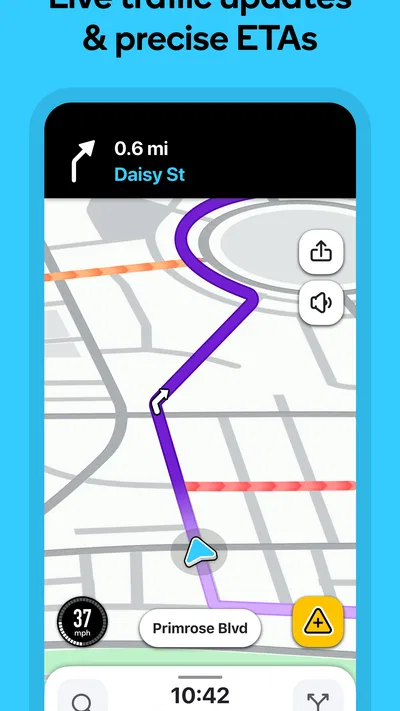
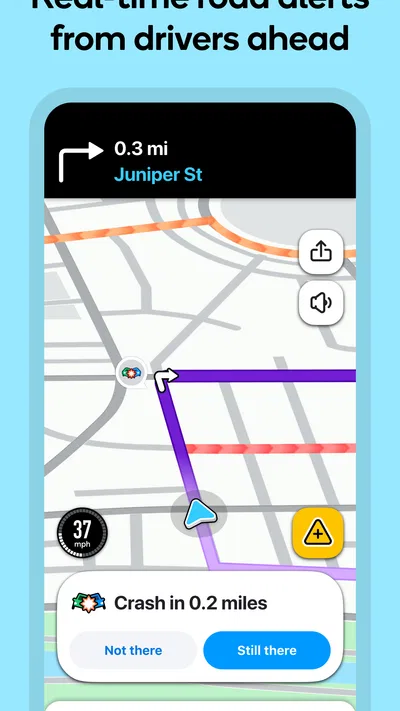
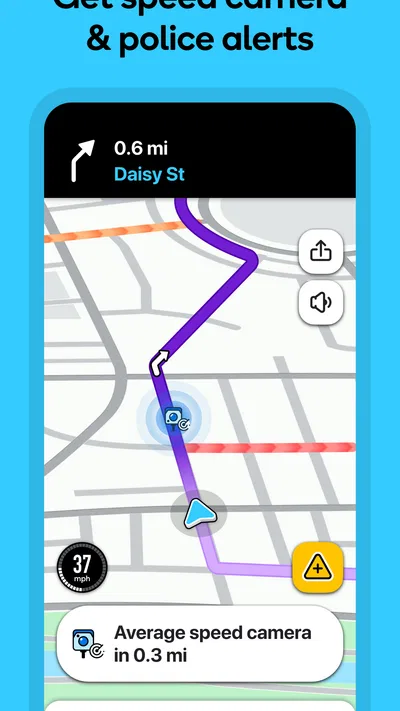
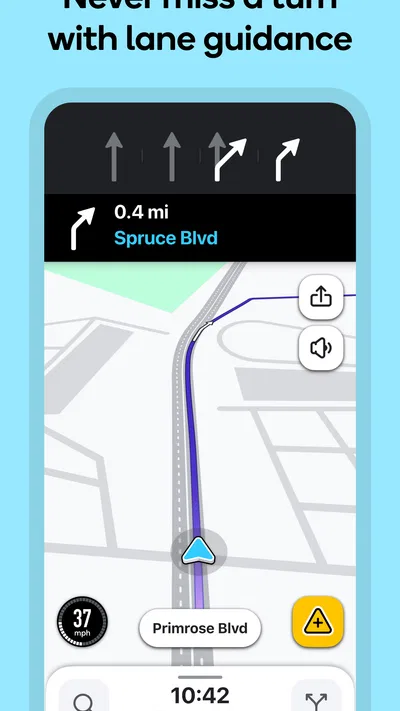
 Analysis byAppsAward
Our review of Waze Navigation & Live Traffic
I find Waze most useful when the drive itself is unpredictable: a familiar commute disrupted by a jam, an unfamiliar set of city streets, or a trip where a quick warning can change which road I take. It is a free navigation app from Waze, built around live traffic and alerts rather than simply drawing a route and leaving me to follow it. That focus makes it feel different from a conventional map app, but it also means I’m more comfortable treating its directions as informed suggestions than as unquestionable instructions.
Trust depends on how you use a live-driving app
Navigation has a naturally personal side. To guide a car, an app needs to work with a location, and live traffic becomes useful when information from the road is current. I think about that trade-off whenever I open Waze: the convenience is clearest while I’m travelling, while the reasons to use it are less compelling if I only need a static map or a rough sense of where a place is.
That distinction matters because “useful” and “right for every moment” are not the same thing. I would open it before setting off, choose a destination, and review the proposed route while parked. I would not fiddle with a phone while driving to investigate an alert or compare alternatives. Even a helpful navigation tool can become a distraction if I treat the screen as something to study rather than guidance to check safely before moving.
Waze is a Maps & Navigation app with a 4.4 average from around 8.9 million ratings, and it has passed 500 million installs. Those figures suggest that it is a well-established choice, but popularity does not settle the question of whether its approach suits me. For trust, I care more about understanding the choices I make in the app and keeping my attention on the road than about how many people have downloaded it.
My practical rule is to use the live guidance where it has a clear job: helping me respond to changing traffic, navigate an unfamiliar route, or notice a reported road hazard. For a simple walk through a neighbourhood, looking up a business, or planning a trip without immediate travel, another map may be easier to use. Waze is at its best when I want a driving companion, not a universal answer to every location question.
What the live approach changes
Traditional turn-by-turn navigation can feel reassuring because it gives a route and asks me to follow it. Waze adds a more immediate traffic perspective: a route is not just a line to a destination but a choice that may need reconsidering as road conditions change. That can be valuable when a delay appears ahead, especially on a route with several plausible ways through town.
The trade-off is that a live route can feel less settled. If the app changes its recommendation, I have to decide whether the new direction makes sense in context. A shortcut that looks efficient on a screen may be less comfortable than a familiar main road, and I may prefer a predictable journey over a small possible time saving. I don’t assume that every change is automatically better; I listen to the guidance, keep an eye on road signs, and use my judgement.
That is also where Waze differs from the map apps many people already have on their phones. A general-purpose map is often convenient for browsing places and getting a broad overview. Waze’s identity is more specifically tied to driving, current traffic, and road alerts. If I’m choosing between them, I ask whether I need a live driving tool or a calmer all-purpose map. The answer can change from one trip to the next.
Controls I would check before setting off
I would review the app’s visible settings and the phone’s own permission controls before relying on any navigation app. In particular, I’d check what location access is enabled at the operating-system level and decide whether that access matches how I intend to use the app. I would not assume a setting has a particular effect without reading its wording on my device; permission screens and available choices can vary with the phone and software.
For me, the useful habit is to make those choices while stationary, rather than tapping through prompts in a car. If I want turn-by-turn help, location access is central to the task. If I’m not navigating, I can reconsider whether I want the app open at all. This simple distinction gives me more control than leaving an app running by default and only thinking about permissions after a concern comes up.
I also look for account-related choices in the app rather than assuming that an account is necessary for every basic task. Before signing in or adding personal details, I would read the prompts and decide whether the benefit is worth it for my own routine. I avoid sharing information simply because a screen offers the option. That is not a claim about what Waze stores or how it handles data; it is a sensible way to make deliberate choices in any app connected to travel.
One small but useful workflow is to prepare the destination before the car moves. I can check that I have selected the right place, look over the route, and adjust my comfort level with the suggested path while parked. Once underway, I can rely more on spoken guidance and less on repeated screen checks. It reduces the temptation to interact with the phone at the exact moment my attention should be on traffic.
When location and alerts deserve extra thought
Location is especially sensitive on routine journeys because a commute can reveal more about someone’s habits than a one-off trip. I treat that as a reason to be intentional, not as proof of any particular data practice. If I only need directions for a single drive, I can think about whether I need to keep the app active afterwards. I also check the phone’s current permission controls instead of relying on memory about what I chose during setup.
Live alerts can help me notice a problem sooner, but they are not a substitute for observing the road. A report may be incomplete, out of date, or irrelevant to my lane or direction. I take alerts as a prompt to pay attention, not as permission to make a sudden manoeuvre. If the road signs or conditions disagree with what the screen suggests, safety and the actual road take priority.
A realistic example is an evening drive home when a familiar route slows down unexpectedly. I can let Waze show whether another route is available, then consider whether the detour is reasonable for the time of day and the roads involved. If the alternative sends me through streets I don’t know well, I might stay on the main route even if it appears slower. The useful insight is that the best route is not always the one with the most attractive estimate; comfort, clarity, and safe decision-making count too.
Another case is driving through an unfamiliar area to reach an appointment. I’d enter the destination before leaving, confirm the endpoint, and let the app guide me without trying to inspect every detail while moving. If I miss a turn, I would let it recalculate when safe rather than making an abrupt correction. This sounds obvious, but it is a worthwhile trade-off: a missed turn costs time; a rushed manoeuvre can create a much bigger problem.
Where user agency helps—and where it has limits
Waze gives me a route to consider, but I remain responsible for the decision to follow it. I can choose whether to open the app, whether to grant the permissions requested by my phone, and whether to interact with visible account or settings options. I can also decide that a particular route is not worth taking. Those are meaningful forms of agency, even though they do not answer every question someone might have about data handling.
That last point is important. I would not treat the presence of settings as evidence of a specific privacy policy, nor would I infer what happens to location information from the app’s traffic features alone. If data practices are a deciding issue for me, I would read the current privacy information and permission explanations directly in the app store, the app, and the phone settings before choosing how to use it. I would rather make a careful decision from those visible materials than guess.
There is also a difference between limiting access and getting the full navigation experience. If I restrict a permission that the app needs for the task I want, guidance may be less useful or unavailable in that situation. I would make that choice knowingly: either allow what I need for a particular drive, or use another way to navigate. The right balance depends on how much convenience I want and how much access I am comfortable granting.
For shared vehicles, I would be especially careful about leaving an account signed in or a destination visible for the next driver. A quick check after parking—closing the app, clearing the active route if appropriate, and reviewing the phone’s lock-screen visibility—can prevent an ordinary navigation session from exposing more than intended to someone using the same device. These are practical habits, not claims that Waze offers a particular privacy control.
Who will appreciate it, and who may prefer another map
I’d recommend Waze to drivers who regularly face variable traffic, want road-focused guidance, and are comfortable making their own call when a route changes. It can be especially handy for a commute with more than one reasonable path or for reaching an unfamiliar address by car. Its free price makes trying it straightforward, and its Everyone content rating makes it broadly suitable from a content perspective. The minimum operating-system requirement is version 10.
I would be less likely to recommend it as someone’s only map if they mainly browse places, plan journeys without driving, or prefer a route that stays fixed unless they change it. A more general mapping app may suit those habits better. Someone who wants to avoid location-based navigation altogether should also consider whether a paper map, a route planned in advance, or another navigation method fits better, rather than installing an app whose core purpose is live driving guidance.
The strongest reason to keep it installed, in my view, is not that it promises a perfect route. It is that it can make changing road conditions easier to respond to when I have time to assess the guidance safely. The most important limitation is the same feature viewed from the other side: a live recommendation can ask me to reconsider my route, and that can be distracting or uncomfortable if I follow every change without thinking.
A cautious verdict for everyday driving
After weighing the convenience against the choices involved, I see Waze as a focused driving tool rather than a map I need open all day. I would use it for routes where live traffic and road alerts could help, prepare the journey before moving, and review location and account choices with care. I would not expect an alert to replace my own attention, or a suggested shortcut to be automatically worth taking.
Waze is a sensible option if you want a free, traffic-aware navigation app and are comfortable checking permissions and making your own route decisions. It is not the right fit for everyone, especially if you want a quiet, general-purpose map or have reservations about using location-based services. My recommendation is measured: try it for a specific driving need, keep control of the choices you can see, and let safe judgement—not the moving map—have the final say.
Pros
- Live reports help drivers avoid hazards and slowdowns.
- Rerouting can adapt quickly when traffic conditions change.
- Drivers can share their estimated arrival time with others.
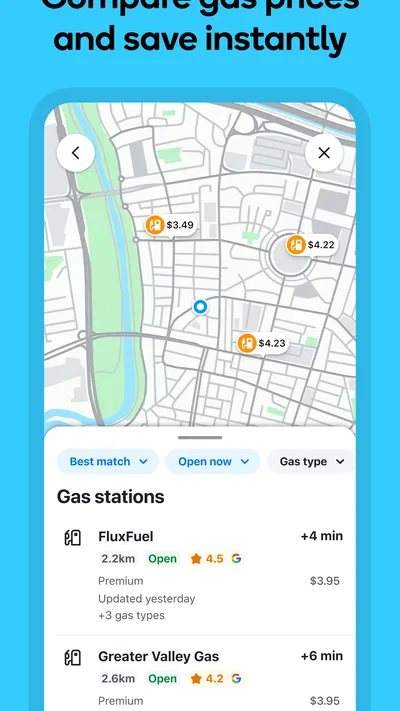
- Fuel prices nearby help compare stops along the route.
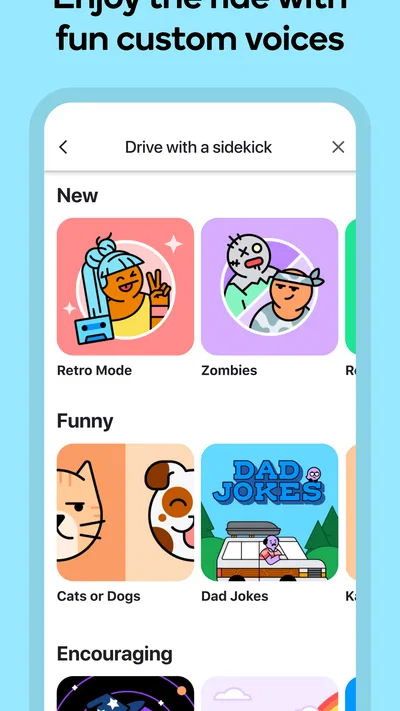
- Voice guidance supports hands-free navigation.
Cons
- Crowd-sourced reports may be outdated or inaccurate.
- Frequent alerts can distract drivers if settings are not adjusted.
- Navigation depends on an active internet connection.
- Suggested routes may use narrow or unfamiliar roads.
- Background location use can drain battery life.
Best Maps & Navigation App 2026
Our verdict
Avoid delays. Get real-time GPS navigation, safety alerts and live traffic.
Frequently Asked Questions
What is Waze Navigation & Live Traffic, and how does it work?
Waze is a GPS navigation app that helps drivers plan routes and respond to changing road conditions. It uses location and traffic information, along with reports from its community of drivers, to estimate travel times and suggest alternative routes. You can enter a destination, review the proposed route, and follow turn-by-turn directions. Traffic, road closures, hazards, and other reports may change as you travel.
Does Waze cost money to download or use?
Waze is generally available to download and use without a purchase, and its navigation features do not require a paid subscription. However, using maps and live traffic data can consume mobile data, and your carrier may charge for that usage under your plan. Availability and specific features can vary by country, device, or app version, so check the listing and your mobile plan before relying on it.
Does Waze need an internet connection and access to my location?
Waze works best with an internet connection and location access. It needs your position to provide live turn-by-turn navigation, monitor your progress, and update routes using current traffic information. Without a connection, some previously loaded map details may remain visible, but live reports and route updates can be limited or unavailable. You can manage location and data permissions in your device settings, though restricting them may affect navigation.
Can Waze help me avoid traffic, tolls, or road hazards?
Waze can suggest routes based on available traffic data and driver reports, and it may reroute you when conditions change. Depending on your settings and the region, you can also select preferences such as avoiding toll roads. Reports of hazards, crashes, closures, or police presence may help you make informed decisions, but they are community-submitted and can be delayed, incomplete, or inaccurate. Always follow road signs and local laws.
Is Waze suitable for every trip, and what should I know before driving?
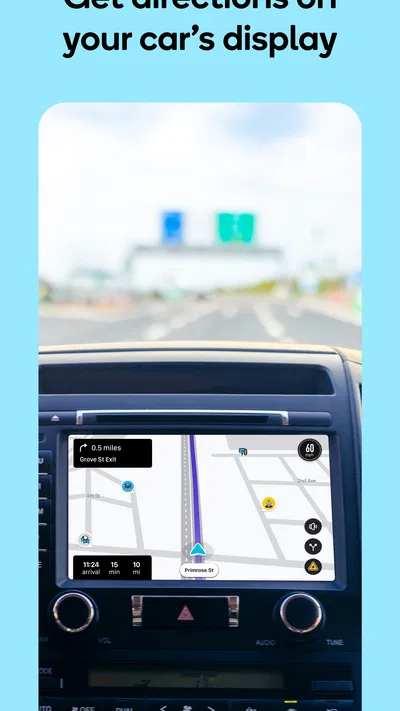
Waze can be useful for everyday driving and unfamiliar routes, but its directions and estimated arrival times are not guaranteed. Map coverage, traffic reports, and available features differ by location, while GPS reception and network access can affect performance. Set your destination and preferences before you begin driving, use a secure phone mount or in-car display where available, and never interact with the app in a way that distracts you on the road.

Download Waze Navigation & Live Traffic
Similar apps
View all 9.5
Uber - Request a ride
Maps & Navigation
 9.6
Lyft
Maps & Navigation
 8.7
MapQuest: Get Directions
Maps & Navigation
 7.8
GPS Location Tracker Plus
Maps & Navigation


