
- Award score
- 4.4Rating
- 10,000,000+installs
- Free
App information
Screenshots


 Analysis byAppsAward
Our review of MapQuest: Get Directions
I judge navigation apps less by how impressive they feel on the first trip than by whether I still reach for them weeks later. MapQuest has an easy case for a place on a phone: it is a free maps and navigation app from MapQuest, with voice guidance and live traffic among its central draws. The real test is whether those familiar tools make everyday driving simpler enough to become a habit, rather than just another map to keep installed.
What stands out after the first few trips
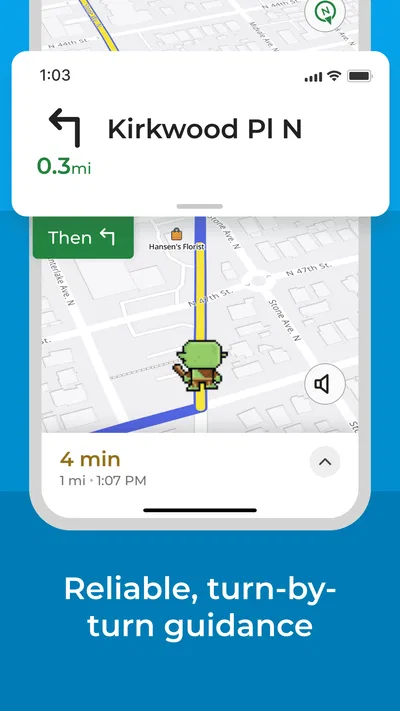
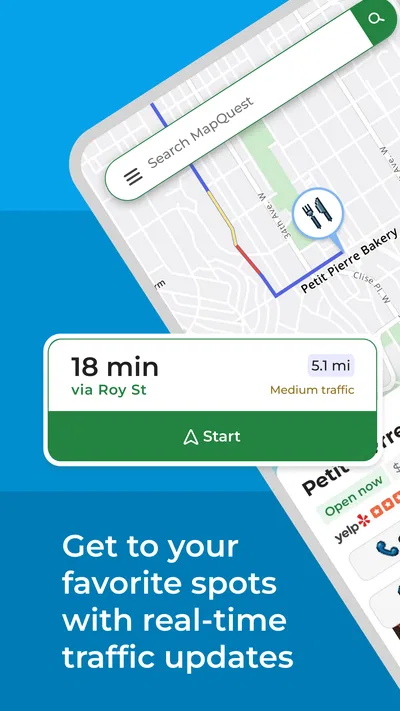
The appeal is immediate if what I need is a straightforward route from where I am to somewhere else. I can use a map to get my bearings, then follow spoken directions instead of checking the screen at every turn. Live traffic also gives the app a practical role beyond showing roads: it can help me think about the drive as it is happening, not just plan a route before leaving.
That combination is especially useful for unfamiliar errands. Imagine I am heading across town to collect an order, then stopping somewhere else on the way home. I can use MapQuest to orient myself and follow navigation without trying to memorize every turn. If traffic changes the feel of the trip, the live view adds context that a static route cannot offer. It is a small convenience, but the kind that matters when I am already juggling time and attention.
MapQuest sits in the maps and navigation category, but I would not choose it just because I want a map on my phone. Its strongest everyday pitch is the combination of directions, voice navigation, and traffic in one familiar app. That makes it a sensible option for drivers who want a practical route companion, rather than a specialist tool for a particular kind of travel.
The first-week question is also about friction: can I open it, understand the route, and get moving without turning trip planning into a project? For simple drives, that is the standard I care about. If an app is only useful after I have spent time learning its quirks, I am less likely to keep using it. MapQuest’s basic purpose is clear enough that a new user can focus on the journey rather than deciphering the product.
Where it fits into a normal routine
I can see it earning early use for commuting, appointments, shopping, and occasional drives to places I do not know well. Voice instructions are particularly helpful when I want to keep my eyes on the road and use the map as backup rather than as a screen I must constantly watch. A glance at the route before setting off can also help me understand the general direction of travel, which makes spoken turns easier to follow.
One useful habit is to check the route before leaving, even if I expect to follow voice guidance the whole way. That quick look gives me a mental outline: which main roads are involved and roughly where the turns come. It is a practical safeguard if a spoken instruction arrives at a busy junction or I need a moment to make sense of a change. Navigation is most helpful when it supports attention, not when it replaces it.
Does it keep earning space after the novelty fades?
After the first few outings, a navigation app has to solve a recurring problem. MapQuest’s value is strongest for someone who drives often enough to appreciate having directions and traffic together, but does not need a deep travel-planning system. If I use it for routine trips and the occasional unfamiliar destination, I have a reason to keep it available. If I only need directions a few times a year, the app may not become part of my regular routine.
That distinction matters when comparing it with the usual alternatives. Many people already have a navigation option built into their phone or use another map app out of habit. Switching makes sense only if MapQuest’s route presentation, spoken guidance, or traffic information works better for the individual. I would not install a second navigation app simply to collect duplicates; I would test it on a familiar drive first, then on an unfamiliar one, and keep it only if it genuinely makes either trip easier.
For a daily driver, the recurring benefit is not novelty but reduced effort. The app can be useful when the route is not second nature, when I want voice directions, or when traffic could influence how I approach a drive. But if my usual trips are short and predictable, opening any navigation app may add little. In that situation, the best app is the one I already trust and can use with minimal distraction.
MapQuest has a 4.4 average from around 76,000 ratings, with roughly 25,000 reviews. That gives a prospective user a sense that it has been used and discussed by a substantial audience, but ratings cannot tell me whether its particular style suits my routes. I would treat them as context, then make the decision based on a few real trips rather than expecting a score to settle the comparison.
Small choices that make navigation more useful
One non-obvious way to get more from a route app is to separate planning from following. Before I start driving, I can use the map to understand the broad route; once underway, voice guidance can handle the turn-by-turn reminders. That division reduces the temptation to stare at the display while moving. It also gives me a chance to notice whether the route looks reasonable before I am committed to it.
Another practical trade-off is how much I rely on live traffic. It is helpful as a signal that conditions may affect a trip, but I would not let a traffic indicator become a reason to make a rushed or complicated maneuver. If I am already in motion, safe driving comes first; I can reassess only when stopped somewhere appropriate. Traffic information is most useful before departure or when I can make a decision calmly, not as an invitation to react impulsively.
For a multi-stop day, I would think through the order of errands before starting rather than assume navigation will make every sequence efficient. A route app can guide me between destinations, but I still need to decide which stop makes sense first based on opening times, parking, and what I am carrying. Treating MapQuest as a guide for each leg, rather than as a substitute for planning the whole day, keeps expectations realistic.
These habits also help answer a common concern: do I need to watch the screen all the time? In my view, no. Voice navigation is there to make following a route easier, while the map remains useful for orientation. I would set up the trip before moving, listen for directions, and check the display only when it is safe. That approach is more comfortable than treating the phone as a video feed of every upcoming turn.
What can wear thin over time
The main source of fatigue is redundancy. If another navigation app already handles my commute well, MapQuest needs to offer a clear personal advantage before I build a new habit around it. Keeping several map apps can create a small but persistent decision: which one should I open, and which route should I trust? Unless I have a reason to compare them, that extra choice can outweigh the benefit of having another option.
There is also a general limit to what any navigation app can do for a driver. A route and traffic view cannot remove the need to pay attention to signs, road conditions, and the actual situation around the car. I would not use voice instructions as a substitute for judgment, especially where a turn seems unclear or traffic is heavy. The app is a useful assistant, not the person responsible for driving.
MapQuest is free to install, but it includes in-app purchases priced from $1.99 to $39.99 per item. That is worth knowing before treating “free” as a promise that every optional item is included at no cost. I would first decide whether the basic navigation experience meets my needs, then consider any purchase only if its value is clear to me. There is no reason to spend merely because an option appears in the app.
Its current version is 10.30.0, and it runs on operating systems from version 7.0 onward. For someone deciding whether an older device can use it, checking the phone’s software version is a sensible first step. The app has been available since February 15, 2011, and has passed 10 million installs, signs of a long-running product with a sizeable audience. That history is reassuring as context, though it does not guarantee that every individual will prefer it to the navigation tool they already use.
Who should keep it, and who should move on
I would recommend trying MapQuest if I drive regularly, want spoken directions, and would find live traffic useful when deciding how to approach a trip. It is also a reasonable choice for someone who wants a dedicated navigation app without paying an upfront price. The app is rated for Everyone, so its stated content age category is broad; the more important question for most adults is whether its route guidance suits their day-to-day needs.
I would be less enthusiastic if I already have a map app that I know well and that handles my regular routes reliably. I would also skip adding another option if I rarely drive or if I need a specialized tool for a travel style beyond ordinary road navigation. In those cases, sticking with the familiar choice—or selecting a more specialized alternative when there is a clear need—may be simpler than changing apps for its own sake.
My best test would be modest: use it for one familiar trip and one destination I do not know, paying attention to whether the map is easy to interpret and the voice guidance feels helpful. If both experiences reduce the effort of getting there, it has earned a place in my routine. If I keep switching back to another app without a specific reason, that is a strong sign the habit is not taking hold.
My long-term take
MapQuest earns lasting space when I want a dependable-feeling combination of maps, voice directions, and traffic for everyday driving. It is not automatically better than the alternatives people already use, and its value will fade if it duplicates a routine that is working well. But for a driver who wants to try a different navigation companion without an upfront cost, it is an easy app to put through a fair, real-world test.
In the end, I would keep MapQuest only if it becomes the app I reach for naturally before an unfamiliar drive or a trip where traffic matters. That is a more meaningful measure than a feature checklist: does it save me effort often enough to justify the space and attention? For the right driver, the answer can be yes; for someone satisfied with an existing navigator, there is no need to force a change.
Pros
- Offers turn-by-turn voice navigation for driving routes.
- Can reroute automatically when you miss a turn.
- Shows nearby gas stations and estimated fuel prices.
- Includes walking directions for short trips.
- Lets you save favorite places for quicker access.
Cons
- Ad-supported screens can distract from route details.
- Offline maps are not available for navigation.
- Traffic and fuel data may vary by location.
- Voice guidance can be less reliable in poor signal areas.
- Some route options may take longer than expected.
Best Maps & Navigation App 2026
Our verdict
MapQuest is your go-to app for maps, GPS, voice navigation & live traffic.
Frequently Asked Questions
What can you do with MapQuest: Get Directions?
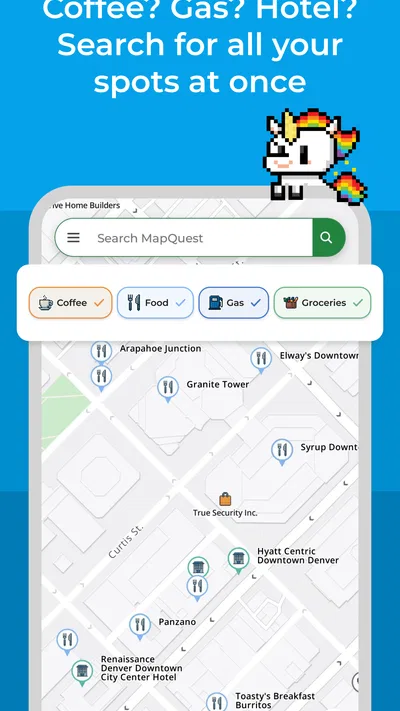
MapQuest: Get Directions is a navigation app for planning trips and finding routes. You can look up places, get turn-by-turn directions, and compare available routes based on factors such as distance or estimated travel time. It can also help you find nearby points of interest, such as restaurants or fuel stops. Features and route details may vary by location, device, and app version, so check the current listing before relying on a specific tool.
Does MapQuest provide turn-by-turn navigation and live traffic information?
The app offers turn-by-turn navigation, and traffic information may be available to help you assess routes and delays. As with any navigation service, traffic coverage and accuracy can differ by area, and conditions may change after a route is calculated. Keep your device mounted safely, follow road signs and local laws, and do not interact with the screen while driving. It is sensible to review your route before setting off.
Can you use MapQuest offline?
MapQuest is primarily designed to provide directions and map information through an internet connection. Availability of route details without service can depend on what has already loaded, your device, and the app version; do not assume that full offline maps or navigation are included. If you expect poor reception, plan ahead and consider carrying a paper map or using a navigation option that explicitly supports downloaded offline maps.
Is MapQuest: Get Directions free to download and use?
MapQuest may be available to download without an upfront charge, but pricing, advertising, and any optional purchases or subscriptions can change. Check the Google Play or Apple App Store listing for the latest details in your country before installing. Also review the app’s permissions and privacy information: navigation features may use location data, and using mobile data for maps or directions can count against your carrier’s plan.
What should you check before installing MapQuest: Get Directions?
Before downloading, confirm that the app is offered for your device and operating-system version, and review its current store rating, update history, permissions, and privacy disclosures. Navigation is most useful when location services are enabled and the phone has adequate battery power and network access. Location accuracy can be affected by buildings, weather, or device settings, so treat directions as assistance and use your judgment when road conditions or signs differ.

Download MapQuest: Get Directions
Similar apps
View all 9.5
Uber - Request a ride
Maps & Navigation
 8.7
Waze Navigation & Live Traffic
Maps & Navigation
 9.6
Lyft
Maps & Navigation
 7.8
GPS Location Tracker Plus
Maps & Navigation


