
- Award score
- 4.8Rating
- 50,000,000+installs
- Free
App information
Screenshots
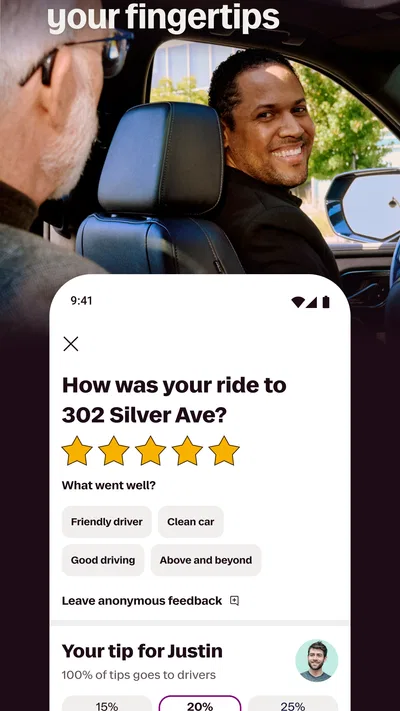
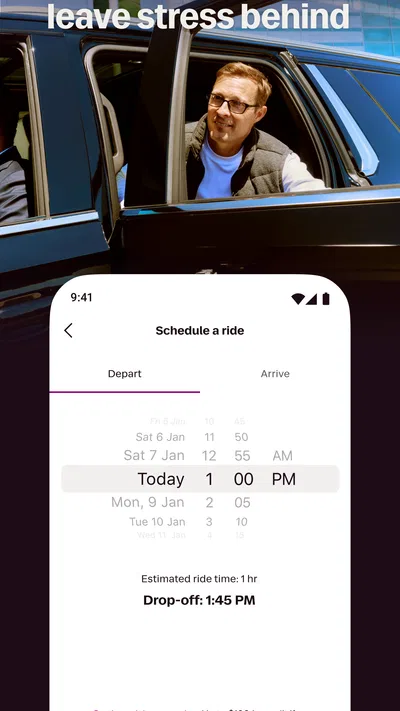
 Analysis byAppsAward
Our review of Lyft
Lyft makes the most sense when I treat it as a practical way to arrange a car ride, not as a replacement for every kind of urban transport. I open it when I want a driver to collect me from a particular spot and take me somewhere without the steps involved in finding a taxi on the street. That direct purpose is easy to understand, and the app’s focus on matching riders with nearby drivers keeps the core task straightforward.
As a Maps & Navigation app, Lyft is less about exploring a map for its own sake and more about turning a destination into a ride request. I find that distinction useful: it is designed for a trip I have already decided to make, rather than for comparing every possible bus, train, walking, and cycling route. If you want a ride-hailing app with a familiar, focused workflow, Lyft is worth considering. If you mainly need public-transit directions or a general-purpose navigation tool, a dedicated maps app is likely a better fit.
Making the basic ride workflow reliable
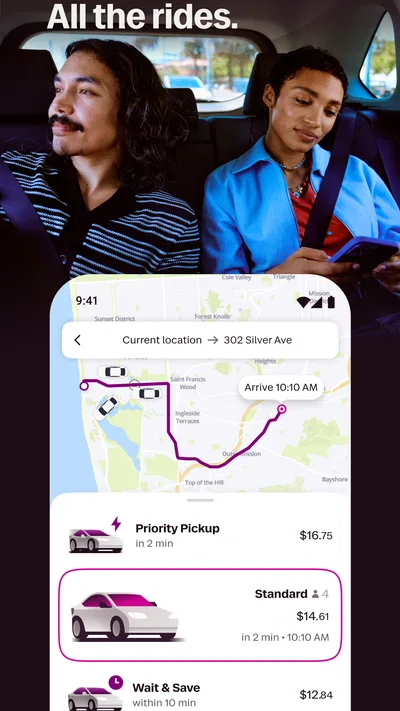
The usual routine is simple: open the app, set where you are going, review the ride options shown to you, and request the one that suits the trip. That simplicity matters most when I’m leaving a building, carrying bags, or trying to coordinate a pickup in an unfamiliar area. The main advantage is having the destination and pickup arranged in the app instead of having to explain the full route to a driver on the spot.
A small habit makes this workflow noticeably less stressful: I check the pickup pin before requesting a ride, especially near large buildings, busy streets, or venues with several entrances. A pin placed at the wrong side of a block can turn an otherwise easy pickup into a string of messages or a walk to meet the driver. I also look at the exact destination rather than assuming the first suggested place is the right entrance. For a station, campus, or shopping area, the general name may not point to the door I actually need.
In an everyday scenario, imagine leaving work in rain with a bag and needing to get home. I would enter the destination, confirm that the pickup point is on the street where I can safely wait, and choose a ride option based on what the app presents for that trip. I would then stay close to the chosen pickup spot and keep an eye on the trip’s progress in the app. Those steps do not make traffic disappear, but they reduce avoidable confusion at the point when I most want the ride to be uneventful.
Lyft is free to download, but that does not mean rides themselves are free. I would check the fare shown for a particular trip before confirming, and I would not assume the same journey will cost the same amount at another time. That is a sensible check in any ride-hailing app, particularly if I’m comparing a car with transit or deciding whether a short trip is worth booking.
Settings and choices worth checking before you need them
I recommend taking a few minutes to look through the app’s available settings and account details before relying on it during a rushed outing. Make sure the information you use to arrange rides is current, and review any ride preferences the app makes available to you. I would not wait until I’m standing outside in poor weather to discover that I need to update something or work out where an option is located.
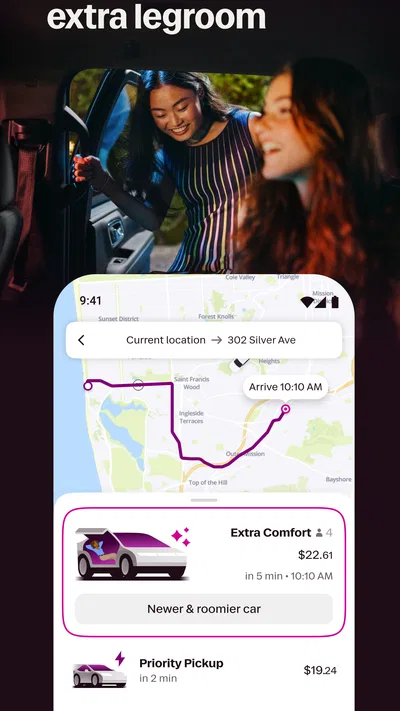
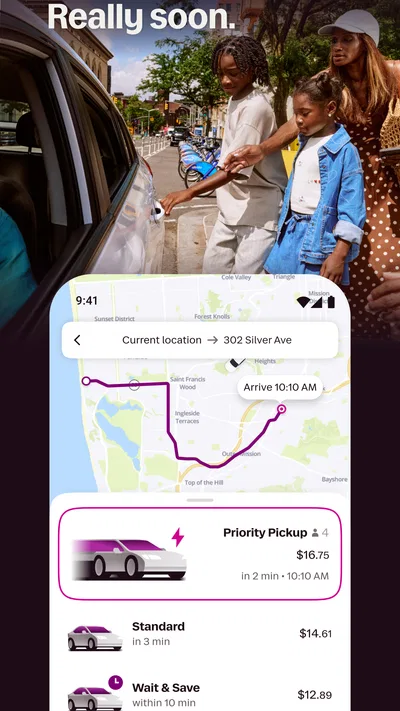
Ride choices are best treated as practical trade-offs, not as labels to tap automatically. If the app presents more than one suitable option, I compare the displayed price and estimated arrival information for the current trip. A less expensive choice can be perfectly sensible when I have time and flexibility; when I need to leave promptly, I may value the option that better fits the immediate situation. The right choice depends on what is shown at that moment, so I avoid relying on assumptions from a previous ride.
Pickup location is the setting I pay attention to most, even when it is not presented as a formal preference. At airports, event venues, and busy downtown blocks, local pickup arrangements or traffic patterns can make the nearest map point a poor place to meet. I check whether I can reach the pin safely and whether a clearly identifiable curb or entrance would be easier. If I need to move the pickup point, I do it before requesting rather than trying to solve the problem after a driver is already on the way.
It is also worth thinking ahead about who is travelling. A solo passenger with a small bag may be able to choose differently from someone travelling with companions or luggage. I check the details of the ride option shown in the app and choose one that suits the actual group and belongings, rather than selecting only by price. That simple decision can prevent a frustrating mismatch at pickup.
Repeatable habits that save time without rushing
Experienced riders tend to make the same few checks every time: destination, pickup point, ride option, and displayed fare. Turning those into a routine is more useful than trying to tap through the app as quickly as possible. I especially recommend confirming the destination before requesting when a place has several branches or when the app suggests a similarly named location.
For recurring journeys, I find it helpful to remember the exact destination wording and the best place to meet a driver. The app can make arranging a familiar trip quick, but a saved or suggested place should still be checked each time; a workday entrance, for example, might not be the best pickup point after hours. Treating familiar trips as a shortcut rather than an automatic action keeps the routine fast without handing control over to an outdated assumption.
When travelling with another person, agree on the destination and pickup point before one of you sends the request. It sounds basic, but it avoids the common problem of one rider waiting at the main entrance while the other walks to a side street. If the pickup area is confusing, I prefer choosing a landmark or accessible curb that both passengers can identify, then checking the pin against that plan.
Another useful habit is to leave a little time for the pickup itself. “Requesting a ride” and “being in the car” are not the same moment: the driver still has to reach the pickup point, and local traffic can affect that. Lyft’s store summary describes quick matching, but I would not build a schedule around an assumption that every ride will arrive within a particular number of minutes. For a flight, appointment, or other time-sensitive commitment, I plan a buffer and consider whether transit or another arrangement offers more predictable timing.
The app is available on Android and iOS, and the current Android release is version 2026.40.3.1791962843, with Android 9 as the minimum operating system. Lyft, Inc. is the developer. Those details are useful when checking whether an older Android phone can install it, but compatibility alone does not guarantee a smooth experience: the practical question is whether your phone can run the app reliably and maintain a connection when you need to arrange a ride.
Where ride-hailing reaches its limits
Lyft depends on a driver being available and able to reach your pickup point. That makes it less predictable than simply walking to a nearby train station when service is frequent, and less suitable than a scheduled transport option when a missed connection would have serious consequences. I use a ride-hailing app when door-to-door convenience matters, but I compare it with public transit when the route is straightforward or when traffic could make a car trip slow.
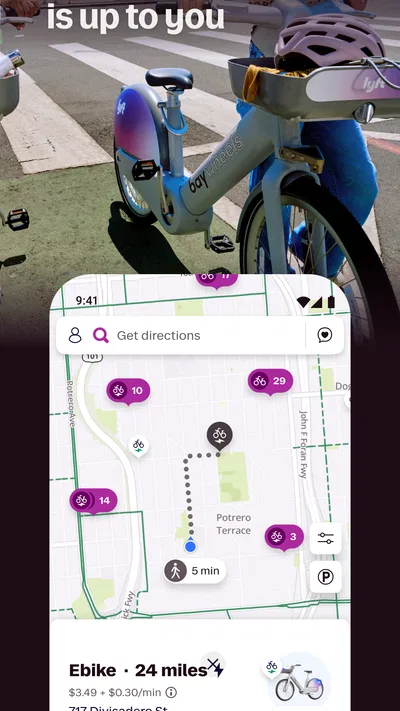
It is also not the tool I would choose for every navigation question. If I need to explore several routes, understand a transit network, or navigate a long drive with detailed turn-by-turn guidance, a dedicated maps or transit app is more appropriate. Lyft helps arrange a ride to a destination; that is a narrower job than planning every part of a journey. I often think of it as one leg of a trip, such as getting to a station or travelling the last stretch from one.
Pickup conditions can be a genuine source of friction. A crowded curb, a road closed for an event, or a location where stopping is difficult can make the map pin less useful than it looks on screen. In those cases, I would choose a safe, legal, easy-to-find meeting point and communicate clearly through the tools available in the app, rather than expecting the driver to identify me in a crowd. If the area is unsafe or inaccessible, I would reconsider the pickup location instead of insisting on the closest point.
Cost is another reason not to make Lyft the automatic answer. I compare the fare presented for the ride with the cost and convenience of the alternatives available to me. For a very short journey, walking may be simpler; for a regular commute on a good transit route, public transport may be more sensible. Lyft is strongest when the value of direct pickup, saved effort, or carrying items outweighs those alternatives for that particular trip.
New riders may also wonder whether they need to understand the whole app before booking. They do not: I would start with one uncomplicated journey, check the pickup and destination carefully, and become familiar with the ride choices shown. The app’s large audience suggests it is a mainstream option—its average rating is 4.8 from 715K ratings, and it has over 50 million installs—but those figures do not tell me whether a specific pickup will be convenient in a particular neighbourhood. Local conditions and the details on the screen matter more for an individual ride.
Who will get the most from it
Lyft is a good fit for people who want to arrange a car ride from their phone and value a direct pickup. It can be especially handy when carrying groceries, travelling with luggage, going out at night, or reaching somewhere that is awkward to serve by transit. It is also approachable for occasional riders because the central task—set a destination and request a ride—is easy to grasp without learning a complex route-planning system.
I would be more cautious about recommending it to someone who needs guaranteed arrival times, depends on a specific pickup arrangement, or is looking for the cheapest way to make every routine journey. A ride-hailing app cannot remove traffic, ensure a driver is nearby, or make a car the best choice for a route with excellent public transport. People who primarily need accessibility accommodations, space for particular equipment, or a very specific vehicle arrangement should carefully check the options available for their trip before relying on the service.
The app is rated for Everyone and is free to install, which makes it easy to try, but those details should not be confused with a promise that every ride will suit every passenger. I would use the first trip as a low-pressure test: pick a familiar destination, check the pickup point, and pay attention to how the available choices fit your needs. That tells you more about your local experience than a broad reputation can.
A practical verdict for regular riders
For me, the best way to use Lyft is with a repeatable, deliberate routine: confirm the destination, verify the pickup pin, compare the choices shown, and allow time for the driver to reach me. That approach makes the app feel less like a hurried button press and more like a useful part of planning a journey. It also prevents the small errors—wrong entrance, unsuitable ride choice, or unrealistic timing—that can undermine an otherwise convenient trip.
Lyft has been available since Aug 28, 2012, and its scale is reflected in 151K reviews alongside its rating. I see that as evidence of a well-established service, not a reason to skip checking the details of my own ride. For car journeys where convenience matters, it earns a place on my phone. For predictable commutes, route discovery, or trips where cost and timing matter more than door-to-door pickup, I would compare it with transit and maps tools first.
My recommendation is straightforward: Lyft is worth trying if you want a focused way to arrange rides and are willing to check the details rather than assume every trip will be identical. It is most useful when a car genuinely makes the journey easier. Keep a backup plan for time-sensitive travel, choose meeting points with care, and use the app as one option in your transport toolkit rather than as the answer to every route.
Pros
- Ride options include standard rides and larger vehicles.
- Fare estimates help riders compare costs before booking.
- The app lets riders schedule some trips in advance.
- Pickup details can be shared with trusted contacts.
- Cashless payments simplify checkout after a ride.
Cons
- Availability can be limited outside major service areas.
- Fares may rise during periods of high demand.
- Pickup times can vary with traffic and driver supply.
- Scheduled rides may not guarantee an immediate pickup.
- Some ride options are unavailable in certain locations.
Best Maps & Navigation App 2026
Our verdict
Get matched with a nearby driver — you’ll be on your way in minutes.
Frequently Asked Questions
What is Lyft, and what can you use it for?
Lyft is a ride-hailing app that connects passengers with drivers for trips in areas where the service operates. You can enter a destination, review available ride options and estimated prices, then request a pickup through the app. Availability, ride types, pricing, and features vary by city, so check the details shown for your location before confirming a trip.
How do you book a ride and pay through Lyft?
To request a ride, set your pickup location and destination, choose from the options available, and confirm the request. The app generally shows an estimated fare before you book, while the final charge may differ if the trip changes or additional charges apply. Payment methods depend on your account and location; review the fare and payment details in the app before confirming.
Is Lyft available everywhere, and how can you check coverage?
No. Lyft operates only in selected markets, and the available services can differ between cities and neighborhoods. Enter your pickup and destination in the app to see whether rides can be requested for that trip and what options are offered. Coverage can also vary by time, driver availability, and local conditions, so an option shown at one moment may not be available later.
What safety features and trip details does Lyft provide?
Lyft provides in-app trip information such as the driver and vehicle details, pickup status, and route progress, and it offers safety tools that may include sharing trip information or contacting support. The exact tools can vary by location and app version. Before getting in, match the vehicle and driver details shown in the app, and use the app’s help or emergency options if a safety concern arises.
What should you know about Lyft’s cost, cancellations, and account requirements?
Fares can depend on factors such as distance, duration, demand, location, and the ride option selected. The app displays an estimate before booking, but cancellation fees or other charges may apply under the terms shown for your ride. You generally need an account and a supported payment method to request a trip. Check current pricing, cancellation rules, and local requirements in the app before traveling.

Download Lyft
Similar apps
View all 9.5
Uber - Request a ride
Maps & Navigation
 8.7
Waze Navigation & Live Traffic
Maps & Navigation
 8.7
MapQuest: Get Directions
Maps & Navigation
 7.8
GPS Location Tracker Plus
Maps & Navigation


