
- Award score
- 4.6Rating
- 50,000,000+installs
- Free
App information
- Version
- 4.0.2
- Updated
- Requires
- 7.0
- Price
- Free, in-app purchases
- Developer
- Deep Flow Apps
- Content rating
- Everyone
Screenshots

 Analysis byAppsAward
Our review of Learn English, Spanish: Learna
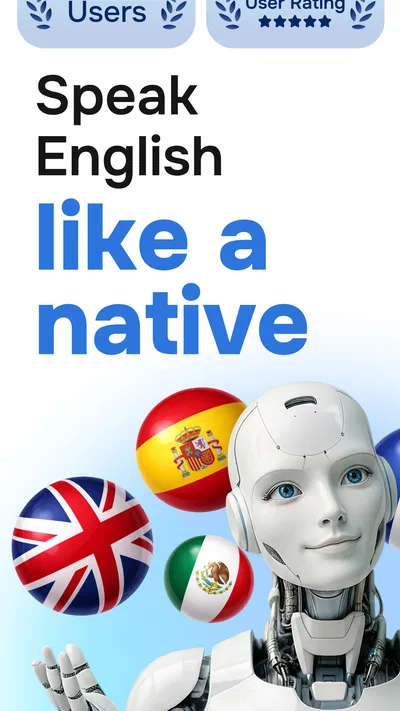
The first useful moment in a language app should arrive quickly: you try a phrase, get a chance to speak, and leave with something you can use outside the screen. That is the promise I look for in Learna, an education app from Deep Flow Apps built around practicing English and Spanish with AI. It is free to download, though optional in-app purchases range from $0.99 to $199.99 per item, so I would treat it as something to explore before deciding whether any paid option suits you.
What to expect from your first session
Learna is aimed at people who want more than a list of words to memorize. Its focus on learning, speaking, and practice suggests a useful middle ground between studying alone and trying to hold a conversation with a person before you feel ready. That can make it especially appealing if you understand some English or Spanish but hesitate when it is your turn to speak.
The app’s scale is reassuring, though popularity alone does not tell me whether its teaching style will fit you. It has passed 50 million installs and has a 4.6 average from around 861,000 ratings. I read that as a reason to give it a fair try, not as proof that every lesson or interaction will suit every learner.
Go in expecting a practice tool, not a guaranteed shortcut to fluency. An AI-based speaking environment can make repetition feel less intimidating, but it cannot replace the messiness of talking with people who interrupt, use slang, or speak quickly. I would use it to build confidence and get regular practice, then look for real conversations when I am ready.
Choose a goal before you tap around
On your first visit, decide what you want to accomplish rather than trying to explore every part of the app at once. A practical goal might be introducing yourself, asking for directions, or answering a common question at work. Keeping the target small helps you judge whether the exercises are helping you say something more comfortably, rather than simply keeping you busy.
If you are learning both English and Spanish, resist the urge to switch between them in every session. I find it easier to notice progress when I give one language the full session and connect practice to a real situation. You can always make the other language your next session; separating them also reduces the chance that a familiar word from one language will distract you while speaking the other.
Set up for a low-pressure start
When you open the app, take a moment to choose the language you actually want to work on and follow the setup prompts at your own pace. The most helpful preparation is simple: find a quiet spot, keep your phone within comfortable reach, and decide on one sentence you would like to say naturally. If you are using speech practice, a quieter setting makes it easier to concentrate on your own attempt.
Do not worry about making your first session impressive. A beginner can start with a basic introduction; a more experienced learner can choose a familiar topic and focus on answering without translating every thought first. If you already know the basics, a useful test is whether the app gives you enough reason to produce language, rather than just recognize it. That distinction matters when your goal is speaking.
The app is rated for Everyone and is free to install. Its current version is 4.0.2, and the minimum operating-system requirement is 7.0. Those details make it straightforward for many people to try, but the presence of purchases means I would still look carefully at any payment prompt. You do not need to make a purchase just to decide whether the learning approach feels comfortable.
Your first meaningful win: say one useful sentence
For a first session, I would aim to complete a short speaking exercise and leave with one sentence I could imagine using in real life. For example, practice a brief introduction, then say it again without staring at the screen. This is a small test, but it tells you more than simply opening lessons: did you understand what to do, did you get enough practice, and can you recall the phrase a few minutes later?
Try a simple three-part routine. First, listen or read carefully enough to understand the task. Next, make your spoken attempt even if it feels imperfect. Finally, repeat the phrase once from memory or adapt it to your own life. That last step is important: a sentence about your actual job, plans, or preferences is easier to retrieve later than an example you have no reason to remember.
Keep the first practice short enough that you can return tomorrow. If you stumble, treat that as useful information, not a verdict on your ability. My rule of thumb is to repeat a phrase when I can identify what I want to improve, but move on when I am merely repeating it mechanically. The aim is to become more willing and more capable of expressing an idea, not to chase a flawless performance in one sitting.
Where learners can get confused
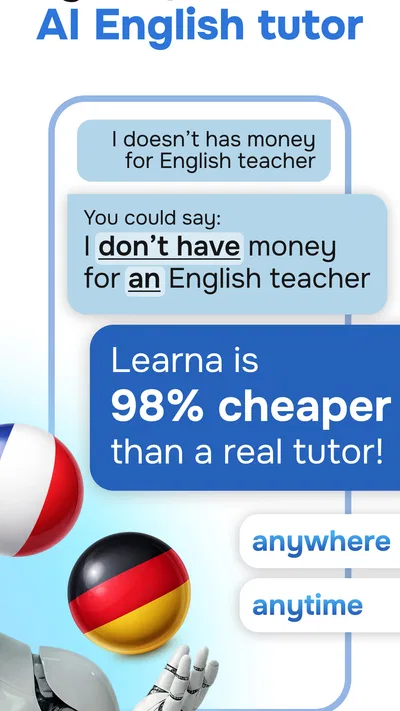
One common trap is expecting AI practice to behave exactly like a human tutor. A digital interaction can offer a less awkward place to try speaking, but it is not the same as a teacher who knows your history, spots a recurring grammar problem, and adapts a lesson around it. If you need detailed explanations or a carefully sequenced course for an exam, pair this kind of practice with a textbook, class, or tutor that directly addresses that need.
Another source of confusion is treating a correct response as proof that the language is mastered. Recognition comes more easily than spontaneous recall. If a phrase feels clear while it is on screen but disappears when you look away, that is normal. Repeat it later in a different context, and notice whether you can change a detail—such as the place, person, or time—without starting from scratch.
It is also easy to mistake time spent in an app for progress. A long session is not automatically better than a brief one in which you actively speak and remember something afterward. I would judge a week of use by whether I can handle a small real-life exchange more comfortably, not by how many screens I have passed through. This gives you a practical reason to continue—or to switch methods if the practice is not transferring.
Finally, be mindful of the purchase range when exploring optional paid choices. The individual items span from under a dollar to nearly two hundred dollars, a broad spread that makes it especially sensible to pause and read what a purchase includes before confirming it. If your goal is simply to test whether speaking practice suits you, start with the free experience and make any spending decision only after you understand the offer.
How it fits beside other language-learning options
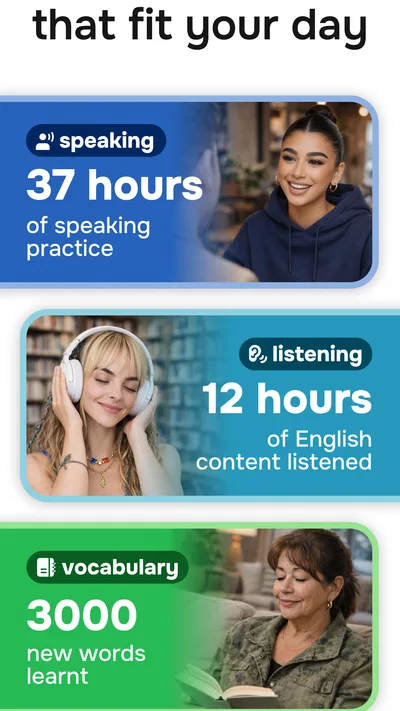
Compared with a flashcard-first approach, Learna’s appeal is the emphasis on speaking practice rather than only reviewing vocabulary. Flashcards can be excellent for building recall and are often easier to fit into a quiet commute, but they do not necessarily make you comfortable forming a sentence aloud. I would use cards when I need a focused vocabulary drill and Learna when I want to practice expressing an idea.
Compared with a live class or tutor, an AI practice app is a lower-pressure place to rehearse, but it is not a full substitute for a person’s judgement and feedback. A tutor is often the better choice when you need an individual study plan, nuanced correction, or preparation for a specific interview. Learna is more attractive when you want to practice on your own and are not yet ready to speak with a stranger.
It is also different from learning through videos or podcasts. Those can help your ear get used to natural speech, especially when you can replay a difficult section, but listening alone leaves your own speaking largely untested. A sensible combination is to use passive material for exposure and then use a speaking session to retrieve phrases yourself. Each method addresses a different gap.
Make the next step part of your routine
Once you have completed a first useful exercise, choose a repeatable moment for practice: after breakfast, during a quiet break, or before you review messages for the day. The best routine is one you can actually keep. I would rather do a short session regularly than wait for a perfect block of free time, especially when the goal is to feel less hesitant speaking.
Give each session a narrow theme. One day, work on introductions; another time, practice describing a plan or asking for help. At the end, say one sentence without looking and note what made you pause. That pause can guide the next session: perhaps you need a word, a pronunciation attempt, or simply another chance to answer without overthinking.
Learna is likely to suit independent learners who want a convenient way to practice English or Spanish and prefer a gentler first step than a live conversation. It may be less suitable if you need a teacher-led syllabus, highly specific exam coaching, or immediate human feedback. Deep Flow Apps has built a popular option in the education space, and the app’s 4.6 average across a large user base makes it worth exploring, but your own first few sessions are the better test.
My recommendation is to install it with one real-world goal in mind, complete a short speaking exercise, and check whether you can reuse one phrase afterward. If that small win makes you more willing to speak again, keep it in your routine. If you find yourself tapping through without producing language or gaining confidence, try a tutor, class, or more structured course instead. The right tool is the one that helps you move from recognizing a phrase to actually saying it.
Pros
- Offers English and Spanish learning paths in one app.
- Short lessons can fit into a busy daily routine.
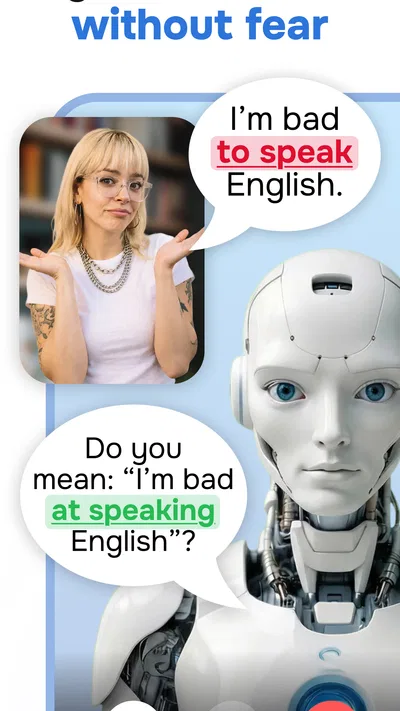
- Speech practice helps learners work on pronunciation.
- Personalized study plans give lessons a clear direction.
- Progress tracking makes it easier to see study habits.
Cons
- Some learning content may require a paid subscription.
- A stable internet connection may be needed for some features.
- Speech recognition can misjudge accents or pronunciation.
- The app may not provide enough practice for advanced learners.
- Daily reminders may feel distracting to some users.
Best Education App 2026
Our verdict
Learn, Speak & Practice Languages with AI. Speaking English & Spanish Made Easy
Frequently Asked Questions
What is Learn English, Spanish: Learna, and who is it for?
Learn English, Spanish: Learna is a language-learning app for people who want to study English or Spanish using a mobile device. It may suit beginners who need a structured starting point as well as learners looking to practise regularly. The most useful experience depends on the lessons and features available in your version of the app, so check its current store listing to confirm that the language, level, and learning approach match your needs.
Can I use Learna for free, or does it require a subscription?
Access and pricing can vary by region and app version. Learna may offer some material to try before asking you to pay for additional lessons or features, but do not assume that every course or tool is free. Before starting a trial or subscribing, review the price, billing interval, renewal date, and cancellation terms shown in the app store. If you only want to explore, check which features remain available without payment.
Does Learna work offline, or do I need an internet connection?
Some language apps require an internet connection to load lessons, record progress, or access audio, while others allow selected content to be downloaded for offline practice. Offline availability in Learna can depend on the specific feature and version, so check the app’s settings or description rather than relying on it for travel without testing first. For a smooth first setup, use a reliable connection and confirm whether lesson audio and exercises remain accessible after disconnecting.
What should I know about Learna’s lessons and learning results?
A language app can make daily practice convenient, but completing lessons alone does not guarantee fluency. Learna’s usefulness will depend on whether its exercises fit your current level and help you practise the skills you care about, such as vocabulary, listening, grammar, or speaking. Try a sample lesson and check how progress is tracked before committing to a long-term plan. For stronger results, pair app practice with conversation and real-world reading or listening.
What permissions or personal information might Learna use?
The information collected can vary with the app’s features and your choices. A language-learning app may request details such as an account email or learning preferences, and speaking or pronunciation tools may need microphone access. Review the permissions requested on your device and the privacy information linked from the app store before creating an account. You can usually deny permissions that are not essential, although some features may then be unavailable; avoid sharing sensitive information unnecessarily.

Download Learn English, Spanish: Learna
Similar apps
View all 9.5
Duolingo: Language Lessons
Education
 9.6
Gauth: AI Study Companion
Education
 9.1
ABCmouse: Kids Learning Games
Education
 9.2
Deepstash: Smarter Every Day!
Education


