
- Award score
- 4.1Rating
- 1,000,000,000+installs
- Free
App information
Screenshots

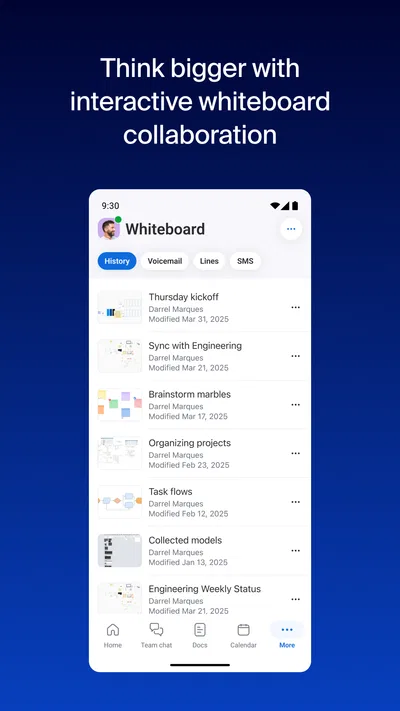
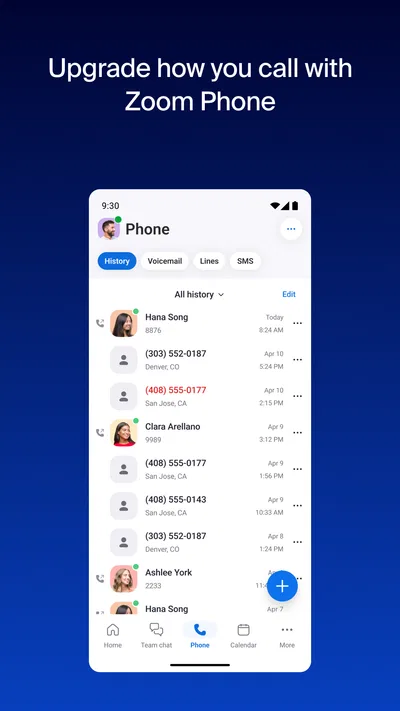

 Analysis byAppsAward
Our review of Zoom Workplace
Zoom Workplace makes the most sense when I think of it less as a video-call button and more as a work hub built around meetings. It is a business app from zoom.com, and its scope reaches beyond joining calls: chat, phone and document work sit alongside meetings. That breadth can make a busy workday feel more connected, but it also means the app asks you to bring more of your work into one place. I would choose it for convenience only if that fits the way I want to manage work conversations and files.
Why trust starts with the way you use it
Zoom Workplace has a long history as a mobile app, having first been released on January 24, 2013. It is free to install, rated for Everyone, and runs on Android starting with version 9. Its average rating is 4.1 from around 4.6 million ratings, with about 76,000 written reviews and more than 1 billion installs. Those figures suggest it is a familiar choice for many people, but popularity alone does not tell me whether it is the right place for my conversations or documents.
For me, trust is partly about avoiding unnecessary complexity. A focused video-call app can be easier to understand than a workspace that also handles messaging, calls and documents. Zoom Workplace’s advantage is that it can keep those activities close together; its trade-off is that users should pay attention to which parts they actually use and what they choose to share there.
Articles related to Zoom Workplace
I would not treat “free” as a promise that every capability is included at no cost. The app offers in-app purchases ranging from $10 to $169.99 per item, so it is worth checking the purchase details before committing to anything. If you only need to attend occasional meetings, start with the free app and see whether it covers your routine rather than assuming you need an upgrade.
Controls are useful only when you make choices deliberately
A practical way to approach a work hub is to separate access from participation. If you are joining a meeting, consider whether you need to keep the camera on, speak, share something, or simply listen. That small pause matters in a video meeting: a screen share can reveal more than intended if unrelated windows or notifications are visible. I make a habit of preparing the exact item I plan to show before sharing, rather than browsing for it while other people watch.
The same care applies to chat and documents. A quick message may feel informal, but in a work setting it can become part of an ongoing project conversation. I would keep sensitive details in the channel or conversation intended for them, and check the recipient before sending files or meeting information. These are simple habits rather than claims about hidden settings; they help users retain control over what they disclose.
Because the app combines several kinds of communication, it is sensible to review the choices presented by the app and the device when setting it up. Grant only the access needed for the task you want to perform, and revisit those choices if your use changes. I would not approve a request automatically just because a meeting is about to begin. Taking a moment to understand a prompt is more useful than granting broad access out of habit.
Where a unified workspace helps—and where it adds friction
The strongest case for Zoom Workplace is a team whose day moves between scheduled calls and quick follow-ups. Imagine a project lead finishing a video meeting, then sending a short clarification in chat and keeping related work close at hand. Avoiding a string of separate apps can reduce the mental overhead of remembering where a conversation happened. It is especially helpful when colleagues already use Zoom for their regular meetings.
There is a less obvious benefit to that continuity: a meeting does not have to be the end of the interaction. A question that would otherwise become a new email thread can be handled in the same general workspace, while a team can choose the communication style that fits the moment. That can make coordination feel lighter, provided everyone understands which channel is appropriate for decisions and which is better for quick, informal updates.
The downside is that one app can become another place demanding attention. If your team already has a well-organized chat service, a separate document system and a preferred calling tool, adding Zoom Workplace may create duplicate notifications and split discussions rather than simplify them. I would avoid migrating everything just because the app has several functions. First decide which problem you want to solve—joining meetings more easily, reducing app switching, or coordinating follow-ups—and use it for that purpose.
Compared with a video-meeting app used only for calls, Zoom Workplace is broader and potentially more convenient for ongoing collaboration. Compared with a dedicated chat or document app, it may not suit a person who wants a specialized tool for one task and prefers to keep work systems separate. The right choice depends less on the feature list than on whether your colleagues will actually use the same workspace consistently.
Handling sensitive moments with care
Meetings often include personal or business information, so I treat the start of a call as a brief privacy check. I confirm that I have joined the intended meeting, choose a suitable place to take the call, and avoid exposing confidential material in the background or on a shared screen. If I am using a phone in a public setting, I also consider whether speaking aloud is appropriate. These steps are worthwhile regardless of the app, but they matter especially when calls and other work conversations sit together.
Chat has its own risks. A fast reply can go to the wrong person or include context that was meant for a smaller group. Before sending anything sensitive, I would check the conversation and think about whether chat is the right medium at all. For information that needs a clear record or careful review, a more deliberate document workflow may be preferable to a hurried message.
The app’s broad role also makes account choices important. I would use an account that is appropriate for the organization or activity, keep sign-in details private, and be cautious about using a shared device for work conversations. If a phone is used by several people, signing out when finished is a straightforward way to avoid leaving the next user in an active workspace.
Who will appreciate it, and who may prefer another tool
I would recommend Zoom Workplace to people who regularly attend Zoom meetings and want a single mobile starting point for meeting-related communication. It can also suit small teams that value quick transitions between calls and follow-up conversations. Its scale is notable—more than 1 billion installs—but that does not mean every user needs the full workspace. A person who joins a meeting once in a while may be better served by using only the parts they need.
I would be more cautious if you are trying to keep work and personal communication sharply separated, or if your employer already requires another platform for messaging and documents. In that situation, installing an all-in-one workspace may create confusion about where information belongs. A dedicated meeting app can be the cleaner option when calls are the only requirement; a team’s existing collaboration system is usually preferable when it already handles the rest reliably.
One useful trial approach is to use the app for a complete workday without moving every task into it. Join a planned call, handle one appropriate follow-up, and notice whether the transition saves effort or creates another notification stream. Then decide whether its broader tools fit your routine. This gives you a practical answer without turning a convenient meeting app into a compulsory home for every work conversation.
My cautious verdict
Zoom Workplace earns its place when meetings are central to your routine and you genuinely benefit from keeping related communication nearby. I like the idea of reducing app switching, but I would use that convenience selectively rather than assuming one workspace should contain everything. Its free entry point makes it easy to try, while the available in-app purchases are a reason to check costs before buying anything.
My recommendation is to start with the meeting workflow, pay attention to the choices you make when sharing or messaging, and expand your use only if the added tools simplify real tasks. If you want a focused calling app, strict separation between work services, or a platform your team already uses consistently, another option may be a better fit. For people who value an integrated meeting-centered workspace and are willing to manage it thoughtfully, Zoom Workplace is a practical choice—not a reason to stop thinking about what they share.
Pros
- Join meetings from a shared link without creating an account.
- Use virtual backgrounds to keep your surroundings private.
- Pin important chats and channels for quick access.
- Schedule meetings with calendar integrations.
- Use live captions to follow conversations more easily.
Cons
- Some meeting features require a paid subscription.
- Video calls can drain battery quickly on mobile devices.
- Call quality depends heavily on your internet connection.
- The interface can feel crowded with so many tools.
- Notifications may become distracting in busy workspaces.
Best Business App 2026
Our verdict
AI-native meetings, chat, phone, docs — all in one app
Frequently Asked Questions
What is Zoom Workplace used for?
Zoom Workplace is a communication and collaboration app for video meetings, voice calls, messaging, and related work tools. You can use it to join meetings, host sessions, chat with coworkers, and share content, depending on your account and the features enabled by your organization. Some tools or usage limits may vary by plan, region, and app version, so check Zoom’s current plan details before relying on a specific feature.
Can I join a Zoom meeting without creating an account?
In many cases, you can join a meeting using its invitation link or meeting ID without signing in or creating a Zoom account. The host may require authentication, enable a waiting room, or restrict access to approved participants, so having a link does not guarantee immediate entry. You may also need to enter a passcode or provide a display name. For hosting meetings or using account-based features, signing in is generally required.
Is Zoom Workplace free to download and use?
Zoom Workplace can generally be downloaded without a charge, and Zoom offers a free account with access to core communication features. However, free-plan limits and available tools can change, and some capabilities—such as expanded meeting options, administrative controls, or certain collaboration features—may require a paid plan. An employer or school may provide access through its own subscription. Review the current pricing and plan terms before purchasing or depending on a particular feature.
What permissions and internet connection does Zoom Workplace need?
The app needs an internet connection for meetings, calls, messaging, and other online features. To use video or audio, it may request access to your camera and microphone; screen sharing, notifications, contacts, or other permissions can depend on the feature and your device settings. You can deny permissions you do not need, though related functions may not work. For clearer calls, use a stable connection and review permissions in your device’s settings.
Is Zoom Workplace safe to use for private meetings?
Zoom provides meeting security controls, but privacy also depends on how hosts configure and manage each session. Hosts can use options such as passcodes, waiting rooms, participant controls, and restrictions on sharing, while participants should join only meetings they trust and avoid sharing sensitive information unnecessarily. Check the app’s current privacy information and your organization’s policies, keep the app updated, and confirm who can access recordings or meeting content before discussing confidential matters.

Download Zoom Workplace
Similar apps
View all 9.3
Microsoft Teams
Business
 9.4
Indeed Job Search
Business
 9.3
Microsoft Authenticator
Business
 9.1
DoorDash - Dasher
Business