Best Travel & Local App 2026
Booking.com: Hotels & Travel
Booking.com Hotels & Vacation Rentals· Travel & Local
Award score
- Award score
- 4.8Rating
- 500,000,000+installs
- Free
App information
- Version
- 70.4
- Updated
- Requires
- 10
- Price
- Free
- Content rating
- Everyone
Screenshots


 Analysis byAppsAward
Our review of Booking.com: Hotels & Travel
The first time I use a trip-booking app, I want to answer a few practical questions quickly: Is the place suitable, what will it cost under the terms shown, and can I find my booking again later? Booking.com: Hotels & Travel is designed to bring accommodation and other trip planning into one travel app. In my experience, its main strength is the breadth of choices; the trade-off is that the abundance of listings and conditions makes careful checking part of the job.
It is a free travel and local app from Booking.com Hotels & Vacation Rentals, rated for Everyone. Its 4.8 average from around 6.5 million ratings suggests that many travelers find it useful, though a strong rating cannot tell you whether a particular property will suit your needs. The app has more than 500 million installs, and version 70.4 is listed for devices running OS 10 or later. It has been available since February 4, 2011.
Where trip planning can get stuck
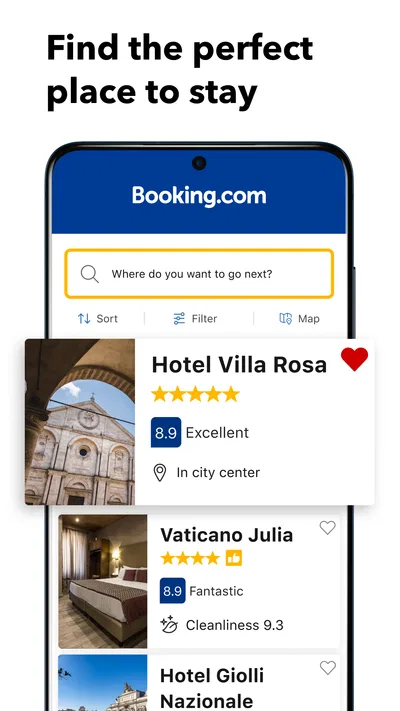
The first friction point is usually not making a search; it is deciding what a result actually means for your plans. A room can look appealing in a list, yet small differences in location, room type, cancellation terms, or payment details may matter more than the headline price. I treat each listing as a set of conditions to compare, not as a promise that every option is equivalent.
Articles related to Booking.com: Hotels & Travel
For a weekend away, I would start with the destination and dates, then narrow the choices using the details that would genuinely change my decision. If I expect to arrive late, I would check the property information for arrival requirements rather than assume that every place handles late check-in the same way. If I may need to change plans, I would inspect the cancellation terms before comparing prices. Those checks are less exciting than scrolling through photos, but they prevent the most avoidable booking surprises.
Another common snag is searching too broadly. A large destination can return options that are technically in the right city but inconvenient for the reason you are visiting. I find it useful to decide on a practical area first: near a station for an early train, near a venue for a short event trip, or close to the people I am visiting. Then I compare individual properties rather than letting a long list make the choice for me.
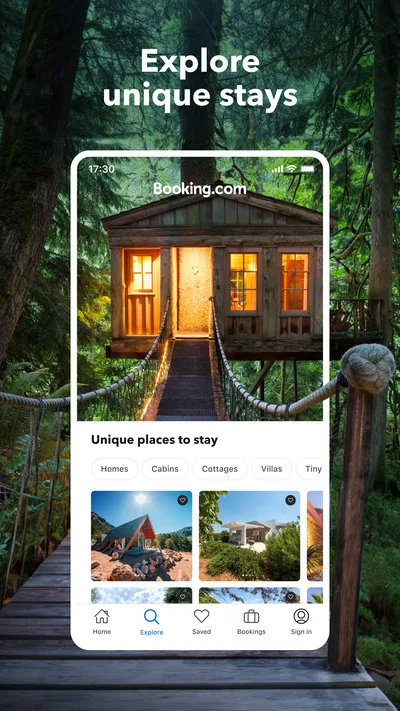
Photos and descriptions help set expectations, but they should not replace reading the room and property details. A traveler who needs a particular bed arrangement, accessible facilities, or a quiet setting should confirm that the specific option covers the need. The app can help gather choices in one place, but the final decision still depends on matching the written details to the trip.
Make the first search easier to judge
I get more useful results when I settle the basics before browsing: dates, number of travelers, preferred area, and the main feature I cannot compromise on. This keeps a tempting but unsuitable listing from becoming the default simply because it appears first or has attractive images. It also makes comparisons fairer, since I am looking at options for the same travel plan.
When two places seem close, I compare the full terms rather than just the displayed total. I look for what is included, when payment is due as described for that option, and whether cancellation is flexible enough for my situation. The most useful comparison is the one that includes the booking conditions, not just the price on the results screen. A cheaper choice can be poor value if its restrictions do not fit the trip.
Setup checks before you rely on it
Before planning around the app, I would check that the device meets its minimum OS requirement and that the installed version is current enough to open and use normally. The listed minimum is OS 10, and the current version is 70.4. If installation or an update stalls, I would first check the device’s available storage, internet connection, and app-store account, then retry. Those are sensible basic checks; they do not require assuming that the app itself is broken.
I also recommend making sure the details entered during booking are accurate and that you can access the contact method used for the reservation. A typo or an inbox you rarely check can make it harder to locate confirmation information when you need it. Before leaving home, I would review the booking details while I still have time to resolve a mismatch, instead of discovering it at the property desk.
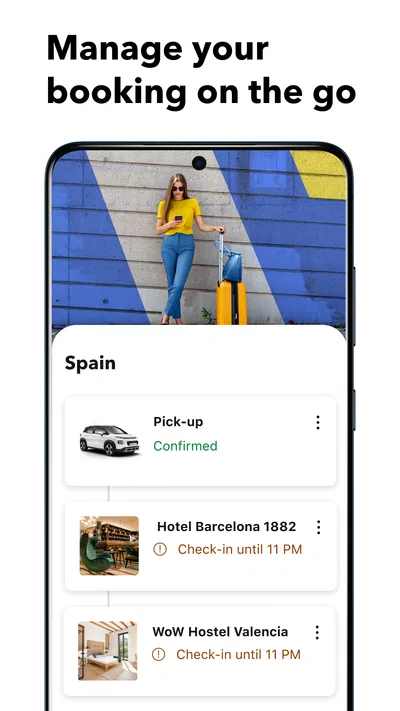
Because the app covers trip planning beyond accommodation, it can be convenient to use it as a starting point for organizing a journey. But I would not assume that every part of a trip follows the same rules or appears in the same way. Read the information attached to the particular option you choose, and keep any relevant confirmation details accessible. That habit matters especially when different parts of a trip have separate times, conditions, or providers.
Use the booking details as your checklist
After choosing a place, I would revisit the confirmation and check the dates, guest details, room selection, and the terms shown for that reservation. This is a simple step, but it catches mistakes while they are still easy to address. If the dates are flexible, I would compare the alternative dates before confirming rather than book first and hope the change process will be straightforward.
For a family or group trip, I would agree on the important requirements before anyone starts choosing. One person may focus on location, another on room layout, and someone else on flexibility. Writing down the non-negotiables helps keep the group from comparing different kinds of stay as though they were interchangeable. It also makes it easier to spot when a listing is attractive but fails one essential requirement.
Recovering when a booking or search goes wrong
If a search result disappears or the app behaves unexpectedly, I would first repeat the search with the same destination and dates, then check whether a filter or changed travel detail narrowed the results. This is particularly useful when I have been comparing many places: a leftover filter can make it appear that options have vanished. I would also confirm the internet connection and reopen the app before treating the issue as a booking problem.
If I cannot find a reservation, I would check the account and contact details I used when making it, then look for the booking confirmation through the channel I normally use for travel messages. I would compare the reservation’s dates and guest information with what I entered. This workflow helps separate a search or sign-in mix-up from a change to the reservation itself, without relying on guesswork.
When the details in the app do not match what I expected, I would avoid making a second booking immediately. First, I would read the existing confirmation and the conditions for that specific reservation, then use the available support route for the booking if clarification is needed. Duplicate bookings can create more confusion than they solve, particularly when cancellation terms differ.
For a last-minute trip, I would take a screenshot or otherwise keep the confirmation details available in a way that works for me, while still checking the current information in the app when possible. This is not a substitute for the reservation record; it is a practical backup if connectivity is unreliable at the moment I need to check an address or booking detail. I would also note the property’s location and arrival information before setting out.
When the app may not be the cause
Not every frustrating result points to an app fault. Availability can change while people are comparing options, and a property’s own terms may explain why a price or room choice is no longer offered. If something changes between browsing and booking, I would refresh the search and read the current option carefully rather than assume the earlier result is still available on the same terms.
Likewise, a booking question may depend on the property’s stated conditions rather than on the way the app displays the reservation. I would distinguish between an app problem, such as being unable to open a screen, and a question about a specific stay, such as arrival arrangements or a requested room detail. In the latter case, the reservation information and the property’s instructions are the right place to begin.
Device and connection issues can also look like account or reservation trouble. If the app will not load, I would test whether other online services work, check for an available app update, and try again on a reliable connection. If the issue persists across attempts, I would use the appropriate booking support channel rather than repeatedly submitting the same action. That is a calmer way to avoid accidental duplicate requests.
How it compares with other ways to book
Compared with searching individual hotel sites one by one, this app is appealing when I want to scan many accommodation options and compare their details in one place. It is also more focused on booking than a general travel-planning notebook or map app, which may be better for organizing places to visit but not for weighing stay conditions across a broad set of listings.
The trade-off is that a comparison platform can make the choice feel simpler than it is. Property descriptions and booking terms still deserve attention, and some travelers may prefer to book directly when they already know where they want to stay or want to deal with a property without an intermediary. I would use this app to research and compare, then decide based on the terms and information attached to the particular booking rather than loyalty to any one route.
It is a strong fit for travelers who are open to comparing different places, want to keep accommodation planning close at hand, or are still deciding where to stay. It is less useful for someone who already has a preferred property and only wants to deal directly with that provider, or for a traveler who dislikes evaluating multiple conditions and would rather ask a person to arrange the details. It can support a decision, but it cannot make personal priorities disappear.
My practical verdict
I recommend Booking.com: Hotels & Travel as a capable place to begin accommodation planning, especially when I need to compare locations and booking terms without jumping between many separate sites. Its long presence in the travel category and large audience make it a familiar option, while the free price removes a download-cost barrier. Neither point guarantees that every listing is the right choice, so I still treat the details of each reservation as the deciding evidence.
My best advice is to search with a clear area and a few real requirements, compare cancellation and payment conditions before choosing, and review the confirmation as soon as a booking is made. Keep the reservation information easy to retrieve, and use the appropriate support route if the details do not line up. Those habits make the app more useful than simply scrolling through results.
Overall, I would keep it installed for trips where choice and comparison matter. I would not rely on a quick glance at a price or photo, and I would choose a different route when I already know exactly where I want to stay or need direct, highly specific arrangements. Used thoughtfully, it is a practical travel companion; used on autopilot, it can leave important conditions unnoticed.
Pros
- Filters make it easy to narrow stays by price and amenities.
- Maps help compare accommodation locations before booking.
- Saved lists make it easier to organize trip ideas.
- Booking details are available in the app for quick reference.
- Guest reviews provide useful insights from past visitors.
Cons
- Some listings charge extra fees that appear during checkout.
- Cancellation terms vary and can be restrictive for some stays.
- Prices and availability may change before a booking is confirmed.
- Customer support experiences can vary by reservation.
- Not every property offers the same payment options.
Best Travel & Local App 2026
Our verdict
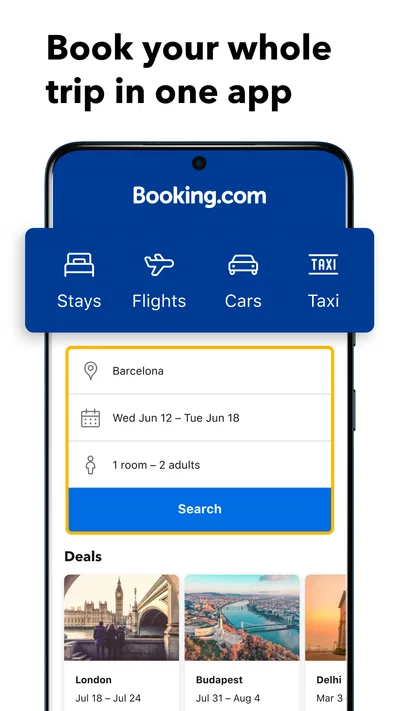
Book your whole trip in one app.
Frequently Asked Questions
What can you book with the Booking.com app?
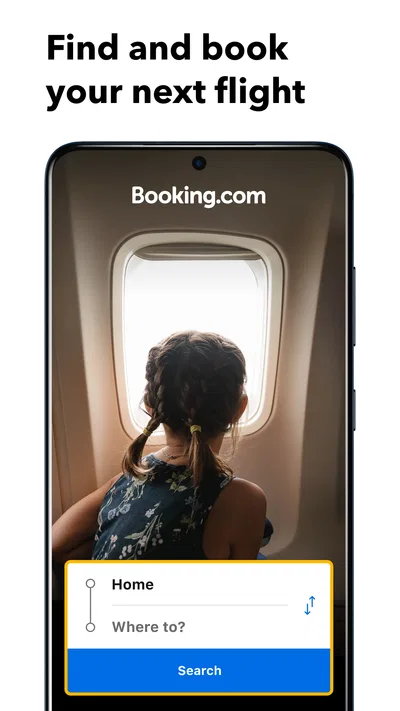
Booking.com lets you search for and reserve a range of travel options, including hotels, apartments, vacation rentals, hostels, and other stays. Depending on your destination and dates, the app may also offer flights, rental cars, airport taxis, and attractions. Availability and features vary by location, so check the listing and booking details carefully before confirming.
Can I cancel or change a Booking.com reservation?
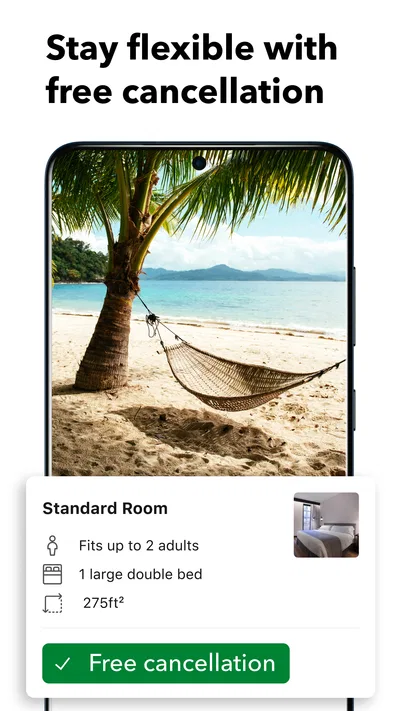
Many reservations can be changed or canceled, but the rules depend on the specific property, rate, and booking conditions. Some options include free cancellation until a stated deadline, while discounted or prepaid bookings may be nonrefundable. Open your reservation in the app to review its terms and available actions, and contact the property or Booking.com support if you need help.
Do I need to pay when I make a reservation?
Payment timing varies by booking. Some properties charge the full amount at the time of reservation, some collect payment later, and others let you pay at the property. Taxes, deposits, and fees may also be handled separately. Before confirming, review the payment schedule and total price shown for your selected stay, including any conditions listed by the property.
Are the prices and property reviews on Booking.com reliable?
The app displays prices and guest reviews associated with available listings, but it is worth checking the details before you book. Compare the room type, included amenities, taxes, fees, and cancellation terms rather than relying only on the headline price. Reviews can help you judge a property, while individual experiences may differ; read recent comments that match your priorities.
Is the Booking.com app free, and what information should I check before downloading it?
The Booking.com app is generally free to download and use for searching and managing trips, although bookings and travel services have their own costs. Before installing, confirm that you are downloading the official app from Google Play or the Apple App Store. Review the app’s current permissions, privacy information, and device requirements, which can change over time.

Download Booking.com: Hotels & Travel
Similar apps
View all 7.5
Google Earth
Travel & Local
 9.1
Airbnb
Travel & Local
 9.6
Expedia: Hotels, Flights, Cars
Travel & Local
 9.1
Upside: Gas & Food Cash Back
Travel & Local