
- Award score
- 4.8Rating
- 50,000,000+installs
- Free
App information
Screenshots
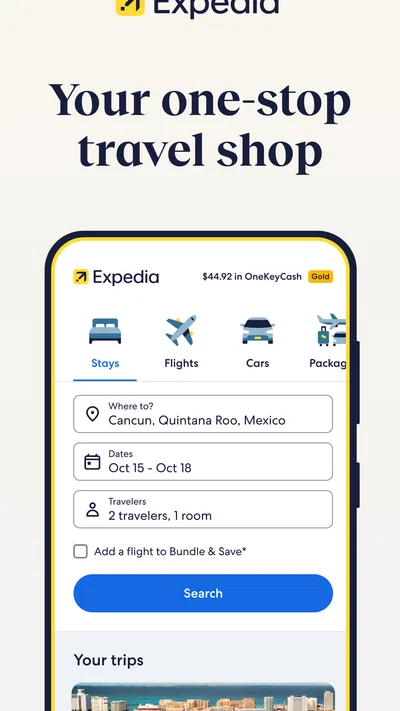
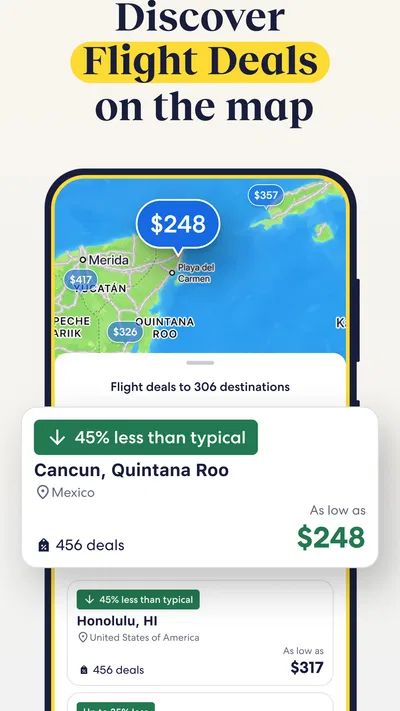


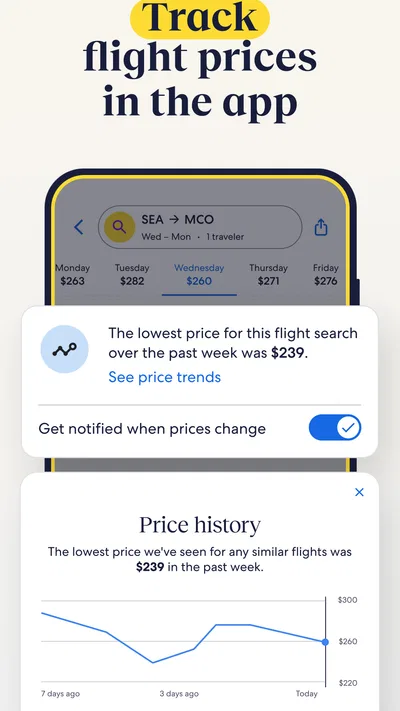
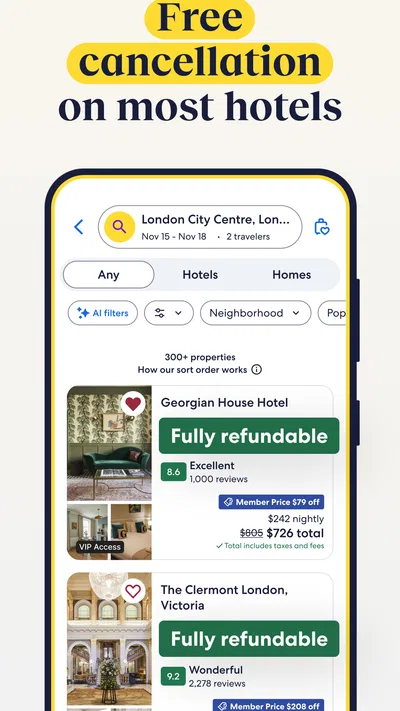
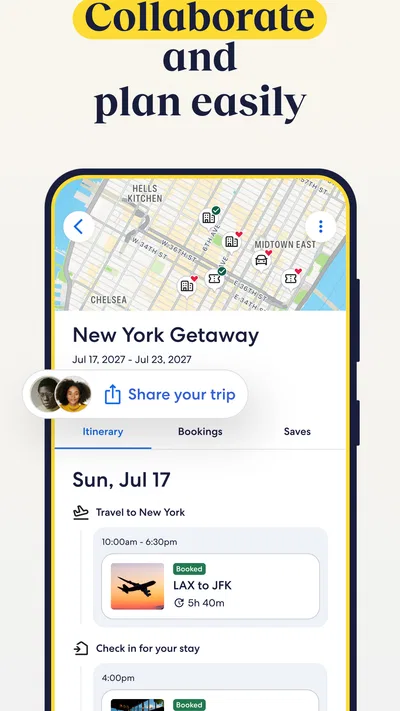
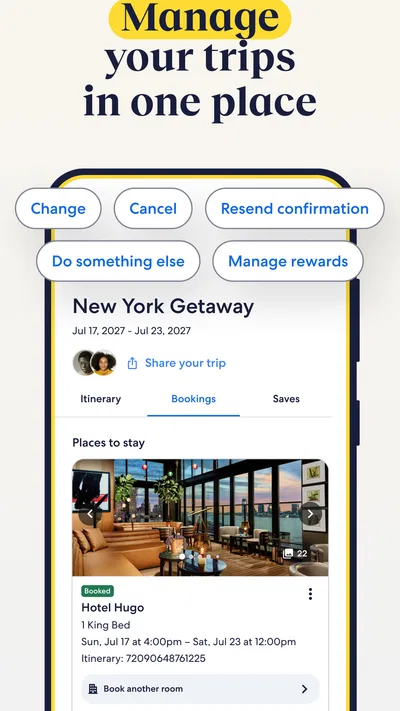
 Analysis byAppsAward
Our review of Expedia: Hotels, Flights, Cars
When I plan a trip, I want to know whether putting the main pieces together will save effort without boxing me into a poor choice. Expedia is most useful in that role: it is a travel app from Expedia for comparing and booking parts of a trip in one place. I would consider it when I have a destination and dates in mind but still need to decide how to get there, where to stay, or what to do once I arrive. It is less compelling if I only need one very specific booking and already know exactly where I want to make it.
How I decide whether Expedia fits a trip
I start by asking how much of the trip is still open. If I need a flight, hotel, and perhaps a car or activity, Expedia: Hotels, Flights, Cars gives me a practical place to investigate those needs together. The app is free to download, and its travel-planning focus makes it easy to begin comparing options before committing. That does not mean every traveler should book everything through one service; it means the app is worth opening when coordination matters as much as the individual reservation.
The next question is whether I value a broad overview or the deepest possible search in one category. Expedia’s strength is the joined-up view of a trip, rather than being solely a flight search tool or a hotel specialist. I can use it to explore a package, look at accommodation, and consider activities as parts of the same plan. For a traveler who is still shaping an itinerary, that breadth can be more useful than jumping among separate apps before knowing what the trip will cost or involve.
Articles related to Expedia: Hotels, Flights, Cars
I would also decide how flexible I am. Bundling can be appealing when the important dates and destination are settled, but a package is not automatically the best fit just because it groups travel components. If I am likely to change the dates, need unusual accommodation, or have a highly specific flight preference, I would compare the relevant pieces separately before checking out. Convenience is valuable only when the combined choices still match the trip I actually want.
Where the all-in-one approach earns its place
The clearest advantage is reducing the mental work of planning across categories. A hotel search is not the same task as a flight search, and activities require a different kind of decision; keeping them within one travel app makes it easier to move between those needs while the itinerary takes shape. I find that particularly helpful when a trip is being planned around a fixed event or a short break, where arrival time, lodging location, and available time on the ground affect one another.
For example, imagine I am arranging a weekend away and have a set arrival day but have not decided where to stay. I can first compare travel options, then consider lodging in light of when I expect to arrive, and look at activities that make sense for the time available. That sequence is more useful than choosing a hotel in isolation and only later realizing the travel schedule leaves little time to enjoy the destination. The app cannot make those judgments for me, but it can keep the relevant planning tasks close together.
Packages are another reason to take a look. If I am comfortable booking several parts of a trip together, Expedia presents bundling as a way to save on travel. I would treat that as an invitation to compare, not as proof that a bundle is always cheaper or better. The useful habit is to check whether the package includes the flight and stay I would choose independently, and whether the combined itinerary works. A lower-looking total is not a good deal if it forces an awkward schedule or compromises the location I care about.
Activities matter most when I have a real gap in the itinerary, rather than when I am browsing for its own sake. I might use the app to see whether there is a worthwhile option for a free afternoon after planning the core transport and lodging. This is a concrete advantage over a narrow booking tool: the trip does not end at the hotel reservation. Still, I would compare an activity’s timing and practical fit with the rest of my plans before treating it as settled.
What the app’s reputation does and does not tell me
Expedia is a well-established choice in travel, and its Android app has an average rating of 4.8 from around 1.7 million ratings, with roughly 92,000 written reviews. It has more than 50 million installs. Those figures suggest that many people have tried it, but they are not a guarantee that every search will produce the right itinerary or that every booking experience will suit me. I use popularity as a reason to consider the app, not as a substitute for reading the details of a particular trip.
The app is rated Everyone, which makes its audience broad, though the actual decisions inside it are adult travel decisions involving schedules, locations, and spending. Expedia is also a mature product: it first appeared on May 10, 2011, and the current version is 2026.42.0, with Android 10 as the minimum operating system. I would check that my device meets that requirement before planning around it, especially if I rely on an older phone.
Because Expedia handles several travel categories, the important practical skill is not simply searching but comparing like with like. I would keep my dates, destination, and must-haves consistent while comparing a package with separately selected bookings. For accommodation, that means paying attention to where the property is in relation to my plans, not just its headline appeal. For flights, it means checking whether the schedule is sensible for the first and last days. A trip can look tidy in a single itinerary and still be inconvenient on the ground.
When another kind of travel app may be better
If I only need a room and already have a preferred way to book it, a hotel-focused service or the property’s own booking channel may be a more direct route. That is not a claim that either will always offer a better price; it is a matter of matching the tool to the task. Expedia becomes more attractive when I want to coordinate lodging with transport or activities, while a single-category option may be easier when I am making one isolated reservation and do not need the broader planning context.
The same distinction applies to flights. A dedicated flight comparison tool can make sense for someone whose whole decision revolves around routes, times, or a particular airline preference. Expedia is a stronger candidate when I am balancing a flight with a hotel or other trip components. I would not assume that a broad travel app replaces every specialist search; I would use it to form a joined-up plan, then compare separately if a particular part of the itinerary is unusually important.
Some travelers may also prefer to plan each component independently because they want maximum control over the sequence and suppliers. That approach can take more attention, but it may suit a complicated itinerary, a long stay with different lodging needs, or a trip where the flight and accommodation must meet specific requirements. Expedia is not a shortcut around careful planning. Its value depends on whether the convenience of keeping the search in one place outweighs the freedom of treating each booking as its own decision.
There is also a difference between browsing and being ready to book. If I am only gathering ideas for a destination with no dates or priorities, I can use Expedia to explore, but I should not mistake a promising set of options for a finished plan. Conversely, when I have fixed dates and clear needs, the app’s range is easier to put to work. The best results come from deciding what cannot change first, then seeing whether a combined arrangement respects those boundaries.
How I would compare before committing
My first pass would be to establish the trip’s non-negotiables: dates, destination, approximate location for a stay, and any travel timing that affects the itinerary. Then I would browse Expedia’s options and identify a plausible combination. Only after that would I compare the package with separate bookings. This order avoids a common planning trap: judging a bundle by its convenience before confirming that its individual pieces actually work for me.
I would also leave room to question the apparent simplicity of a single itinerary. A combined search can make planning feel settled early, but the details still deserve attention. Does the lodging location suit the activities I am considering? Does the arrival time leave enough time for check-in and the first evening? Would adding a car help with the destination, or merely introduce another thing to arrange? These are not reasons to avoid bundling; they are the checks that make bundling useful rather than merely neat on screen.
For a short trip, I would avoid overfilling the plan just because activities are easy to browse alongside the main bookings. I would secure the essentials first, then look for one or two options that fit naturally into the available time. For a longer trip, I would be more willing to compare components separately, since different parts of the itinerary may call for different arrangements. In either case, Expedia works best for me as a planning workspace and comparison point, not as an instruction to book every element together.
The real switching cost is in the planning habit
Moving from another travel app to Expedia is not difficult in principle; the meaningful cost is rebuilding the comparisons and decisions I have already made. If I have shortlisted flights elsewhere, I would bring those priorities with me rather than starting over by browsing without a plan. I would compare the same dates and practical requirements, then decide whether the convenience of Expedia’s broader trip view changes the outcome. That keeps the switch focused on the value of the itinerary, not on the novelty of a different interface.
Likewise, moving away from Expedia does not require abandoning a good trip plan. If I discover that a specialist service better suits one booking, I can make that choice while retaining the useful work I have done on dates, location, and timing. The trade-off is that separate channels may require more coordination on my part. I would accept that extra effort when it buys a better fit for a particularly important reservation, but not simply because using more apps feels like thorough research.
For someone already comfortable with a preferred booking routine, Expedia needs to earn a place by making a multi-part trip easier to assess. I would not switch merely to have another travel app on my phone. I would try it when planning a trip with several moving pieces, compare its combined options with the separate route I would normally take, and keep whichever approach gives me the clearer, more workable itinerary.
Who I would recommend it to
I would recommend Expedia to travelers who want to compare flights, stays, and activities while building one trip, especially when they are open to a package and want to see whether bundling is convenient for their plans. It is also a sensible starting point for someone who has a destination and dates but has not yet settled the details. The free app is easy to consider without making the commitment to book everything through it.
I would be more cautious about recommending it as the only tool for a traveler with very specific requirements or for someone who wants to optimize one category above all else. In those situations, a focused flight or hotel search, or booking a particular component separately, may be a better match. My advice is to use Expedia to coordinate and compare, then make the decision based on the actual schedule, location, and fit of the options in front of you.
Overall, Expedia: Hotels, Flights, Cars is worth trying when the challenge is fitting several travel decisions together, rather than simply finding one reservation. Its broad scope can make planning feel more coherent, but it does not remove the need to inspect the details or compare alternatives. I would open it for a trip with multiple pieces, use bundling as something to evaluate rather than assume, and choose a different route whenever a specialist option better serves the part of the journey that matters most.
Pros
- Compare hotel rates and book stays in one place.
- Save trip details for access while traveling.
- Manage hotel and flight reservations in the app.
- Browse rental car options alongside flights and hotels.
- Earn rewards on eligible bookings with One Key.
Cons
- Some bookings may have cancellation fees or strict rules.
- Prices and availability can change before checkout.
- Certain properties require payment directly at the hotel.
- Customer support wait times may vary during busy periods.
- Some features and offers may differ by location.
Best Travel & Local App 2026
Our verdict
Book packages & activities for your trip. Bundle & Save on travel.
Frequently Asked Questions
What can you book with the Expedia app?
Expedia brings several travel services together in one app, including hotels, flights, rental cars, vacation packages, and activities in many destinations. You can search dates and locations, compare available options, review prices and property or itinerary details, and manage eligible bookings. Availability, features, and prices vary by destination and provider, so check the final itinerary and booking terms before confirming.
Can I change or cancel an Expedia booking in the app?
Some bookings can be changed or canceled through the app, but the available options depend on the airline, hotel, car-rental company, activity provider, and the fare or rate you selected. Review the cancellation and change policies before paying, since a booking may be nonrefundable or may involve fees. If the app does not offer the action you need, Expedia or the travel provider may require you to contact support directly.
Does Expedia charge a fee, and is the displayed price the final price?
The app is generally free to download, but the total cost of a trip depends on the services you select and the providers’ terms. Search results may show taxes, fees, or other charges separately, and some lodging costs may be payable at the property. Before booking, review the complete price breakdown, payment schedule, currency, and any deposit or extra-charge information so you know what you will pay and when.
Can I earn or use rewards when booking through Expedia?
Eligible Expedia bookings may qualify for rewards or allow you to apply available benefits, depending on the current program rules, your account, and the type of travel product. Not every fare, property, or activity necessarily earns or accepts rewards, and redemption values or conditions can differ. Sign in before searching, check the rewards details shown during checkout, and read the applicable terms to confirm whether a particular booking qualifies.
What should I check before booking a hotel, flight, or rental car in Expedia?
Compare the itinerary details carefully before confirming: travel dates, passenger or guest names, baggage allowances, stopovers, check-in requirements, room and bed arrangements, car pickup location, driver eligibility, and payment or deposit rules. Also read each provider’s change, cancellation, and refund policies. Expedia displays options from different suppliers, so terms can vary even for similar listings. Save your confirmation and verify the booking details after purchase.

Download Expedia: Hotels, Flights, Cars
Similar apps
View all 9.6
Booking.com: Hotels & Travel
Travel & Local
 7.5
Google Earth
Travel & Local
 9.1
Airbnb
Travel & Local
 9.1
Upside: Gas & Food Cash Back
Travel & Local