- Award score
- 4.6Rating
- 10,000,000+installs
- Free
App information
Screenshots
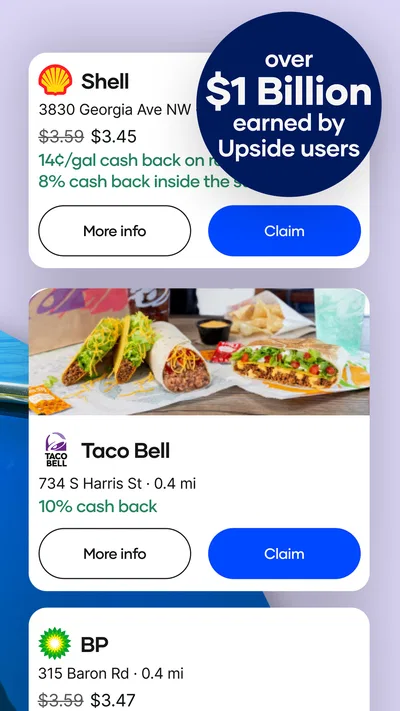
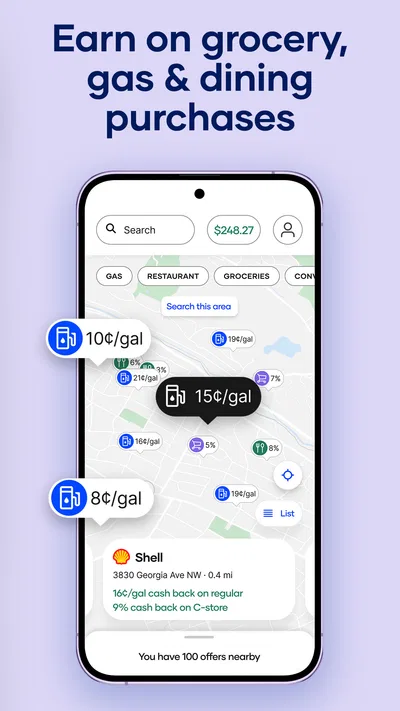
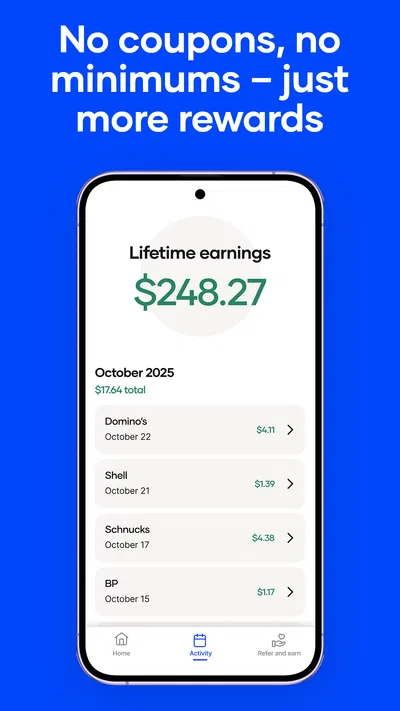
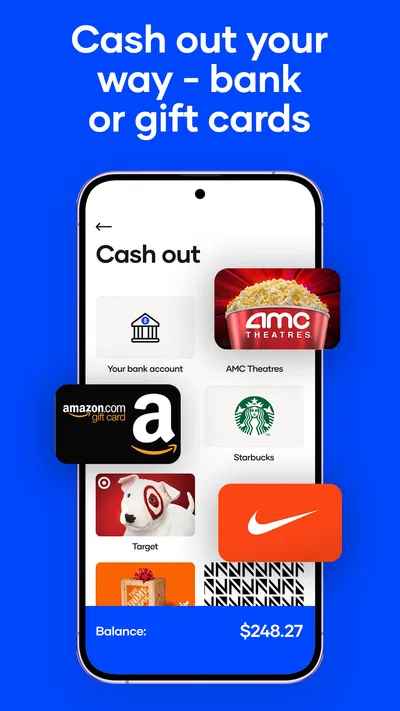
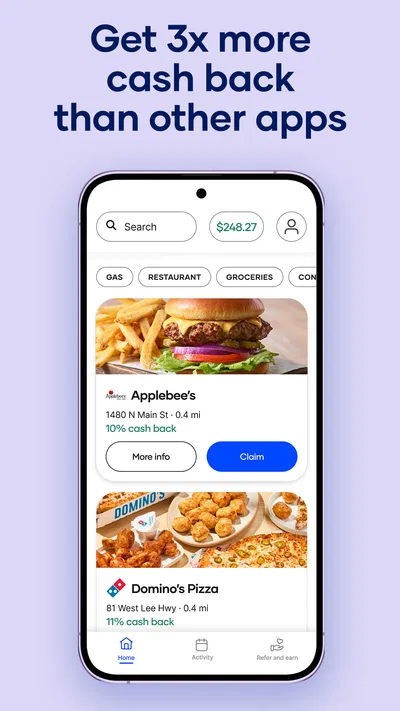
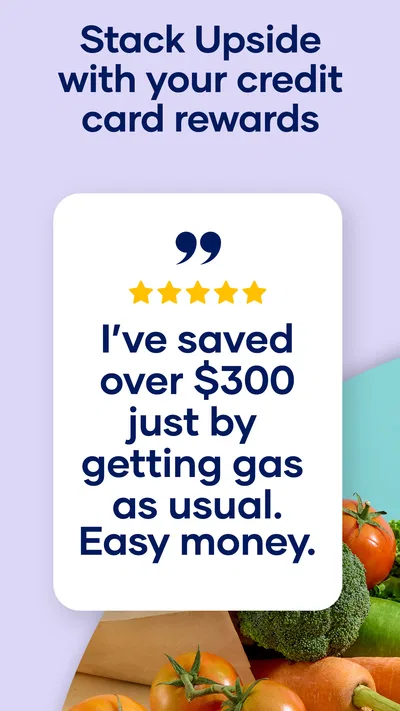
 Analysis byAppsAward
Our review of Upside: Gas & Food Cash Back
I like the idea behind Upside: Gas & Food Cash Back: instead of treating everyday spending as a separate rewards hobby, it gives you a way to look for cash back around purchases you already plan to make. The app sits in the Travel & Local category, but its appeal is just as practical for a quick meal or a grocery stop as it is for a drive. My advice to a first-time user is to treat it as a helpful extra, not as a reason to change where you spend.
What to expect from Upside
Developed by Upside Inc., this free app is built around finding eligible offers and using them to earn cash back. Its central idea is straightforward: check what is available near your route or destination, then decide whether an offer makes sense for a purchase you were going to make anyway. The store summary also points to a useful distinction: rewards from the app can sit alongside the credit or debit rewards you already earn, so the potential value is not limited to choosing one rewards channel over another.
That sounds simple, but the best way to think about it is as a small planning tool. It is not the same as a universal discount that automatically applies everywhere. You need to check the offer and follow the steps attached to it. In return, you may find a reason to choose one nearby participating business over another, provided the detour and the purchase still suit you.
Articles related to Upside: Gas & Food Cash Back
The app has a 4.6 average from around 456,000 ratings, with roughly 188,000 written reviews and over 10 million installs. Those figures suggest that many people have made it part of their routine, but they do not tell you whether a particular offer will be worthwhile for your location or habits. I would judge it by a few ordinary trips rather than expecting every visit to produce a meaningful reward.
Its age rating is Everyone, and the app first appeared on April 24, 2016. The current version is 26.29.0, with Android 9 as the minimum operating system. Those details are useful if you are checking compatibility, but the more important question is whether you are willing to check an offer before spending. If you want rewards without changing your routine at all, this may feel like one extra task.
Start with the trip you already planned
For a first use, I would open Upside before leaving for a planned stop rather than browsing it as a reason to go shopping. Think about where you are already headed, compare the nearby choices shown in the app, and look for an offer that fits your actual errand. This keeps the app in its most sensible role: helping you make a better choice among options you would have considered anyway.
A useful comparison is with the rewards attached to a bank card or a store’s own loyalty program. Those can be convenient because they may be tied directly to payment or membership, while Upside asks you to engage with an offer in the app. The upside of that extra step is that it can complement rewards you already use. The trade-off is that you need to pay attention to the offer’s requirements instead of assuming every purchase qualifies.
Set up carefully before your first purchase
Once you install it, take a moment to get oriented before you are standing at a counter or preparing to fuel up. Explore the offers around places you already visit, read the instructions shown for a promising one, and make sure you understand what action the app expects. The practical lesson is simple: check the offer before you buy, not after you have paid. That habit is more valuable than rushing through setup and hoping the reward will appear automatically.
When you see a suitable option, follow its in-app steps in order. I would not assume that merely viewing an offer is enough, or that every offer uses exactly the same process. The app is most reassuring when you treat the displayed instructions as part of the transaction. If you are unsure, pause and reread them before committing to the purchase; a few seconds of checking is preferable to discovering later that you missed a required step.
There is also a useful way to avoid turning the search into a chore. Start with one category and one familiar route, rather than trying to compare every nearby listing. For example, if you are already going out for lunch, check the options around that destination first. You can broaden your search after you understand how the app presents offers and what its process feels like.
Your first meaningful success: a normal errand
Picture a weekday drive home when you need fuel and are already deciding between two convenient stops. Before you pull in, open Upside and compare the options that fit your route. If one has an offer that looks worthwhile, read its instructions and complete the required action as shown. You have then used the app for a real decision without adding a special trip or buying something simply to chase a reward.
The same approach works for food. If you are choosing where to pick up dinner, check whether a nearby option has an offer and whether it is still a sensible choice based on distance, menu, and convenience. A slightly better reward is not automatically a better deal if it sends you out of your way or nudges you into spending more than planned. I find that keeping the original errand in charge is the best guardrail against reward chasing.
One non-obvious tip is to compare the whole trip, not only the headline appeal of an offer. A nearby location that fits your route can be more useful than a seemingly attractive choice that adds a detour. Another is to treat card rewards as a separate layer to check: the app’s stated purpose includes stacking with current credit and debit rewards, so it is worth considering whether your usual payment method still makes sense for that purchase. Do not assume every combination works identically; follow the offer’s own directions.
Where new users can get confused
The most common misunderstanding is expecting cash back to behave like an instant coupon. An offer in a rewards app is not necessarily the same as seeing a lower price at the register. Read the steps and keep a clear mental note of what you selected and what you completed. If an offer requires an action before or during the purchase, completing the purchase first and checking the app afterward may be too late.
Another point worth keeping straight is the difference between finding an offer and earning a reward. Browsing nearby choices can help you plan, but the purchase still needs to match the offer’s terms and process. I would avoid relying on memory when several errands are involved: check the relevant offer again when you are ready to act. That small reset helps prevent mixing up one location or purchase with another.
It is also sensible not to build a budget around rewards you have not yet confirmed. Treat cash back as a bonus rather than money you can count on for a bill or a fixed expense. That is not a criticism of the concept; it is a practical way to use any offer-based service without letting an uncertain future reward influence spending today.
How it fits alongside other ways to save
Compared with a card’s built-in rewards, Upside asks for more attention but can be considered alongside them. Compared with a business’s own loyalty scheme, it may be useful when you are choosing among nearby options rather than returning to one favorite chain. And compared with simply paying the lowest price you can find, it adds a rewards layer that may influence the decision without replacing the need to compare the actual cost.
That distinction matters for people who are very price-sensitive. If another stop is cheaper overall, or the trip to an offer location costs time and fuel, the cash-back opportunity may not be the better choice. I would compare the likely total cost and convenience instead of letting a reward percentage or prominent offer dominate the decision. For a purchase you would make regardless, even a modest extra benefit can be welcome; for an unnecessary purchase, it is not a saving.
Upside may be a poor fit if you dislike checking your phone before errands, prefer rewards to apply automatically, or usually shop in places where the available offers do not match your routine. It is also less compelling for someone who already has a simple system they use consistently and does not want another app to manage. In those cases, a familiar card program or a retailer’s own loyalty option may be easier to stick with.
Build a low-effort routine
After the first successful use, keep the process narrow. Check the app when you are planning a fuel, food, or other relevant stop; compare only options that are genuinely convenient; and reread the selected offer before acting. This routine turns the app into a quick decision aid rather than something you feel obligated to open for every purchase.
A second useful habit is to review whether the offer changes your decision for the better. If it regularly sends you to places you already pass, it is doing useful work. If you find yourself making detours or adding items just to qualify, step back. The strongest use case is not maximizing the number of offers you touch; it is receiving an extra benefit without distorting your normal spending.
You do not need to master every part of the app before deciding whether it suits you. Try it on a routine trip, follow the displayed steps, and see whether the effort feels proportionate to the result. That gives you a fairer impression than browsing offers in the abstract, because the value depends on your location, habits, and willingness to plan ahead.
Who I would recommend it to
I would recommend Upside to someone who drives regularly, buys meals away from home, or already compares nearby businesses before choosing where to go. It is especially approachable if you are comfortable checking an app before a purchase and want to add another rewards option without abandoning the card benefits you already use. The free price makes it easy to try, though the real test is whether the available offers line up with your everyday routes.
I would skip it if you want effortless, automatic savings or if using it would make you spend more than you intended. I would also avoid treating its offers as a substitute for comparing prices, convenience, and quality. The app can help inform a choice, but it should not make the choice for you.
Overall, Upside: Gas & Food Cash Back is most convincing as a small addition to an existing routine. Its best first step is not hunting for the biggest possible reward; it is checking one planned stop, understanding the offer, and completing the process carefully. If that feels easy and the options fit places you already visit, keep it in your rotation. If it adds friction or changes your spending in unhelpful ways, your usual card or loyalty program may be the better tool.
Pros
- Earn cash back on eligible gas purchases at participating locations.
- Offers can include restaurants and grocery stores as well as gas stations.
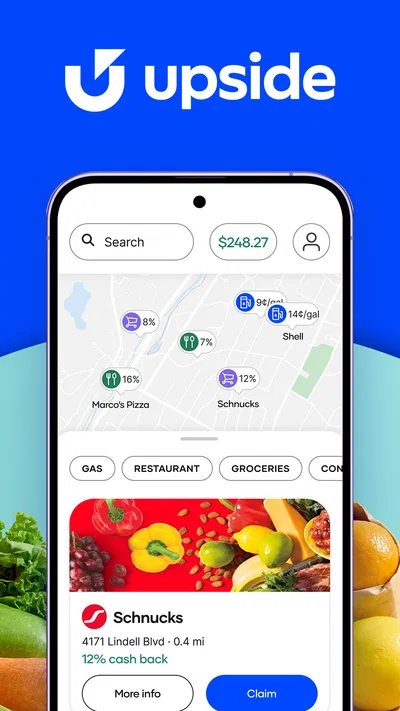
- The app lets you browse nearby offers before choosing where to shop.
- Cash back can be redeemed for gift cards or charitable donations.
- A free account gives users a way to earn without paying a subscription fee.
Cons
- Offers and participating locations vary by area.
- You may need to claim an offer before making a purchase.
- Cash back is not available on every purchase or at every location.
- Some offers require a minimum purchase or have other conditions.
- Earnings may take time to become available for redemption.
Best Travel & Local App 2026
Our verdict
Stack Upside with your current credit & debit rewards for even more cash back!
Frequently Asked Questions
What is Upside: Gas & Food Cash Back?
Upside is a rewards app that lets users find participating gas stations, restaurants, and grocery stores, then earn cash back on eligible purchases. Offers and participating businesses vary by location, so the app may be more useful in some areas than others. Before visiting, check the offer details in the app, including the business location, purchase requirements, and any steps needed to claim the reward.
How do I earn cash back with Upside?
To earn cash back, browse available offers in Upside and follow the instructions shown for the selected business. Depending on the offer, you may need to claim it before purchasing, check in, upload a receipt, or pay with an eligible linked card. Requirements can differ between offers, so read them carefully and keep your receipt when requested. Rewards are generally credited only after the purchase is verified.
Can I use Upside at any gas station, restaurant, or grocery store?
No. Cash-back offers apply only at participating locations that appear in the app, and availability depends on your area and current promotions. A nearby business may not be included, or an offer may apply only to a particular branch. Check the exact address and offer terms before making a purchase, and confirm that your items or fuel type meet any listed conditions.
How do I get my money out of Upside?
After eligible purchases are verified, cash back appears in your Upside account balance. The app may offer withdrawal options such as transferring funds to a linked bank account or using supported digital payment services; availability and any minimum balance or processing requirements can vary. Review the current cash-out options and terms in the app before relying on a particular method, since they may change over time.
Is Upside free, and what should I consider before downloading it?
Upside is generally free to download and use, but you should review the current app-store listing and terms for up-to-date details. Offers, participating businesses, verification steps, and withdrawal options can vary by location. The app may request location access to show nearby deals, and some rewards require receipt or payment verification. Consider its permissions and privacy information, and compare offers with the purchase you already planned to make.

Download Upside: Gas & Food Cash Back
Similar apps
View all 9.6
Booking.com: Hotels & Travel
Travel & Local
 7.5
Google Earth
Travel & Local
 9.1
Airbnb
Travel & Local
 9.6
Expedia: Hotels, Flights, Cars
Travel & Local