- Award score
- 3.7Rating
- 10,000,000+installs
- Free
App information
Screenshots

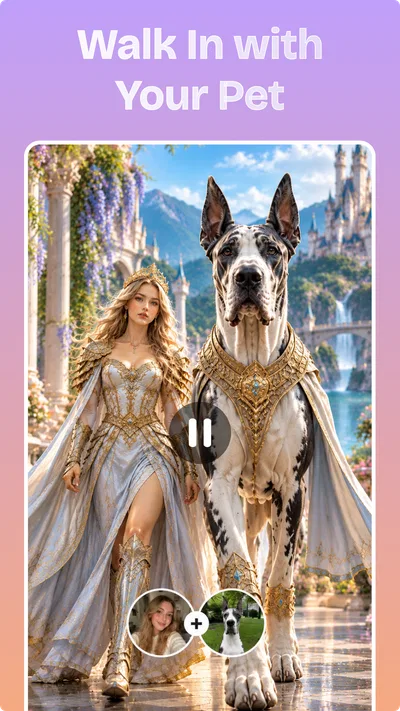



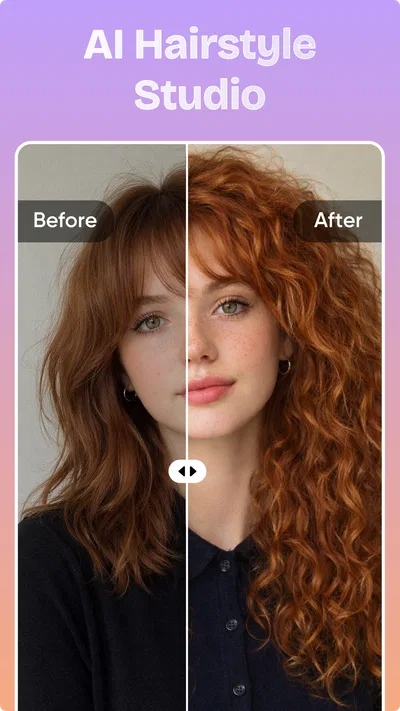
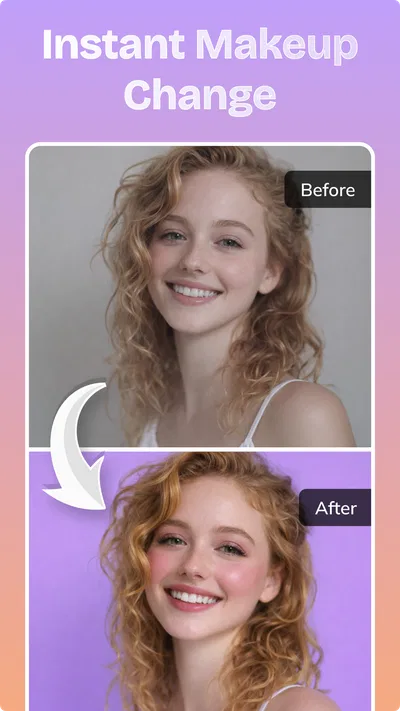
 Analysis byAppsAward
Our review of Nexus - AI Video Generator
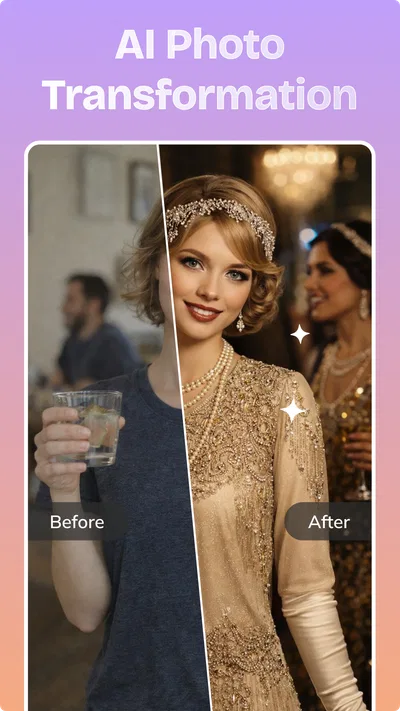
When I choose an AI art app, I care less about the promise of “viral” results than about whether it helps me make something useful without turning a small creative task into a long editing session. Nexus - AI Video Generator is aimed at people who want AI-made videos and photos, and its appeal is that focused, quick-creation idea. I would consider it for a social post, a playful image, or a first draft when I have a concept but not the time or tools to build it from scratch.
It is an art and design app from DQL TechLab, free to install, with in-app purchases ranging from $9.99 to $89.99 per item. It has an average rating of 3.7 from around 8,600 ratings, and more than 10 million installs. Those figures suggest that plenty of people have tried it, while the rating is a reminder to approach it with realistic expectations rather than assuming every generation will be a hit. It is rated for Everyone, and the current version is 3.3.0.
What to decide before you start creating
The first question is what you want the app to do for you. If your goal is to turn an idea into an AI-generated visual without learning a full editing suite, Nexus is worth a look. If you already know exactly how you want to control a video’s timing, layers, typography, and finishing details, a conventional editor may be a better fit. AI generation and hands-on editing solve related but different problems.
Articles related to Nexus - AI Video Generator
I would also decide how much experimentation I am comfortable with. AI creative tools are best treated as idea generators, not reliable production machines: a result may be close to what you pictured, or it may take another attempt and a revised prompt. That matters if you have a deadline or need a specific visual for a client. For casual creative work, the unpredictability can be part of the fun; for exacting work, it can become friction.
Before spending anything, I would try the free version with a small, low-stakes project and see whether its output suits my taste. The presence of in-app purchases means that “free” describes the download, not necessarily every possible level of use. I would check the purchase details in the app before committing, especially if I only need to make one occasional image or clip.
Start with a narrow idea, not a vague mood
A useful way to judge a generator is to give it a clear brief. Instead of asking for something broadly “cool,” decide on a subject, a mood, and where you plan to use the result. For example, if I wanted a visual for a weekend event announcement, I would first settle on the event’s central image and the feeling I want it to convey. That makes it easier to tell whether a generated result is genuinely helpful rather than merely eye-catching.
This small planning step also saves time when the output misses the mark. I can change one part of the idea at a time instead of starting over with an entirely different prompt. It is a practical habit for any AI image or video tool, but especially useful when the point is fast creation: a tighter brief makes each attempt easier to assess.
Where Nexus makes the most sense
The strongest case for Nexus is its focus on AI-generated photos and videos in a single creative destination. If I am sketching out a concept for a social post, a visual joke to share with friends, or a mood piece to test an idea, I do not necessarily need the detailed control of a professional design package. A generator can help me get from “I have a thought” to “I have something to react to” more quickly than starting with a blank canvas.
That is a different kind of usefulness from polished editing. An AI result can give me a starting point, but I should still inspect it before sharing. I would look for whether the main subject reads clearly at phone size, whether the mood matches the message, and whether any odd details distract from the intended effect. A result that looks intriguing full-screen may not work as a small thumbnail or a busy social feed post.
One everyday use case is making a quick visual for a group chat or a personal post when I have an idea but no suitable photo. I can treat the generated image or video as a playful interpretation rather than a documentary record. That distinction is important: AI-made visuals are better for expression and concepting than for presenting an event or product as though the image were an unaltered photograph.
I would also use it as a rough visual brainstorming partner. If I am considering several different tones for an announcement, I can explore the general direction with generated content before investing time in a finished layout. The trade-off is that a generated result may not preserve every detail I need. For a final design with exact brand colors, legible text, or carefully arranged elements, I would expect to move into a separate editor and finish the work there.
For creators who post frequently, another sensible workflow is to make the idea first and decide later whether it deserves a more polished treatment. That keeps the generator in the role where it is most valuable: reducing the effort of getting a concept onto the screen. It does not remove the need for judgement, selection, or editing, and I would not count on it to replace those steps.
When another kind of app is the better choice
Compared with ordinary photo editors, an AI generator is more useful when I want a new visual concept than when I want precise corrections to a photo I already have. If I need to crop a real image, adjust its colors, or prepare it for a specific layout, a traditional editor gives me a more direct path. Nexus is a less natural choice for routine image cleanup because its core appeal is generation rather than careful manual retouching.
Against video-editing apps, the distinction is control. A timeline-based editor is generally the more suitable category when I need to assemble existing footage, place titles at exact moments, or make a sequence match a soundtrack. Nexus may appeal when I want AI-generated video material, but I would not pick it on the assumption that it offers every detailed editing control found in a dedicated video suite.
Design software is a stronger alternative when accuracy and repeatability matter more than surprise. A poster for a business, a menu, or an event with required wording needs dependable text placement and deliberate layout. I would use a generator to explore a visual direction, then move to a design tool for precise copy and final composition. That two-step approach is slower than hoping one app will handle everything, but it gives me a better chance of producing something dependable.
There is also a good reason to skip AI generation entirely for some projects. If the image must faithfully show a real person, place, product, or moment, a genuine photograph or an explicitly controlled illustration may be more appropriate. The same applies when accuracy is central to the message. A creative tool should not be mistaken for a source of verified visual evidence.
Managing expectations and the learning curve
The most likely source of frustration is not a complicated interface but the gap between an idea in my head and what an AI system produces. I would not judge the app by a single attempt. At the same time, I would avoid spending a long stretch chasing one perfect result if the task is simple. Set a modest goal, keep the best output, and move to a conventional editor if the remaining changes require precision.
There is a practical quality-control habit worth keeping: review every generated result before publishing it. Check whether it communicates the intended subject, whether small visual oddities undermine it, and whether it could be mistaken for a real photograph when that would be misleading. This is particularly important when making something for a public-facing account rather than a private joke or a personal experiment.
Since the app is rated Everyone, it is positioned for a broad audience, but that does not mean every generated result will suit every use. I would still supervise younger users’ creative work and talk through what AI-generated imagery is. The key lesson is simple: a plausible-looking image is not automatically a truthful one.
What switching to it would actually involve
If I already use a photo editor or a video editor, trying Nexus does not have to mean replacing either one. I would add it as an idea-making tool, then keep my existing software for tasks that need precise adjustment. That is a low-risk way to see whether its generation style fits my routine without rebuilding my whole creative process around a new app.
The bigger switch is a change in expectations. In a conventional editor, I make many decisions directly; in an AI generator, I describe a direction and evaluate what comes back. That can be faster at the beginning and less predictable at the finishing stage. I would use Nexus when I value a quick route to a draft, and return to manual tools when consistency matters more than exploration.
Compatibility is also straightforward to assess before installing: Nexus requires Android 8.0 or later. The app was released on March 24, 2026, and its current version is 3.3.0. If your device meets the minimum requirement, the remaining decision is less about technical setup and more about whether AI-generated visuals suit the kind of work you actually do.
Who I would recommend it to
I would recommend Nexus to curious creators who want to experiment with AI-made photos and videos, especially for informal posts, personal projects, and early concept drafts. Its reach—more than 10 million installs—shows that it has attracted a substantial audience, but the average rating of 3.7 makes me cautious about presenting it as a guaranteed shortcut. I would install it with a specific small project in mind and decide from the results whether it earns a place in my regular toolkit.
I would be less likely to recommend it as someone’s only creative app. It is not the choice I would make for exact layout work, detailed footage editing, or visuals that must reproduce real-world facts faithfully. Those jobs benefit from tools built around direct control. If you are happy to treat AI output as a draft or creative experiment—and to use another app when precision matters—Nexus is a reasonable free starting point. The best reason to try it is not the promise of effortless perfection, but the chance to turn a rough idea into something you can judge, refine, or simply share.
Pros
- Turns text prompts into short videos with little editing effort
- Offers an accessible way to experiment with AI video creation
- Can help creators produce social media content more quickly
- Generates visual ideas from simple written descriptions
- Useful for exploring concepts before making a polished video
Cons
- AI results may not match the prompt exactly
- Video generation can take time during busy periods
- Free use may be limited by credits or daily quotas
- Generated clips may have visual glitches or inconsistent details
- Some features may require a subscription or in-app purchase
Best Art & Design App 2026
Our verdict
Generate viral AI videos and photos with Nexus
Frequently Asked Questions
What is Nexus - AI Video Generator, and what can it create?
Nexus - AI Video Generator is an app designed to turn prompts, images, or other supplied inputs into AI-generated video content. The exact creation options can vary by app version and available tools, so check the current listing for supported formats and features. It may suit people making short creative clips, social posts, or visual experiments, but it should not be assumed to replace a full video-editing suite.
Do I need an account or an internet connection to use Nexus - AI Video Generator?
AI video generation commonly relies on online processing, so a stable internet connection may be needed to submit prompts, generate clips, and save or share results. Whether Nexus requires account registration, and whether any features work offline, can depend on the current version and platform. Review the app’s onboarding screens and store listing before downloading, especially if you prefer not to create an account or share information.
Is Nexus - AI Video Generator free, or does it require a subscription?
The cost and available generation limits may differ by platform, region, and app version. Some AI creator apps offer a free download with limited credits or features, while additional generations or tools may require an in-app purchase or subscription. Check the Google Play or App Store listing for current pricing, trial terms, renewal details, and cancellation instructions before starting a paid plan.
Can I use videos made with Nexus - AI Video Generator for commercial projects?
Commercial use depends on the app’s current terms, the rights attached to generated content, and the licenses for any images, music, or other material you provide. Do not assume that a generated video is automatically cleared for advertising or resale. Before publishing commercially, read Nexus’s terms and the relevant platform rules, and make sure you have permission to use every input you upload.
What should I check before uploading photos or prompts to Nexus - AI Video Generator?
Review the app’s privacy policy and permissions before sharing personal photos, faces, or sensitive information. Check whether uploaded material may be stored, processed by third parties, retained for a period, or used to improve services, and look for options to delete projects or account data. Avoid uploading content you do not own or have permission to use, and download only from an official app store.

Download Nexus - AI Video Generator
Similar apps
View all 9.6
Canva: AI Photo & Video Editor
Art & Design
 7.6
Google Flow
Art & Design
 9.3
Artmate: Drawing Together
Art & Design
 8.5
Vidix-AI Photo Video Generator
Art & Design