- Award score
- 4.2Rating
- 10,000,000+installs
- Free
App information
- Version
- 1.3.0
- Updated
- Requires
- 7.0
- Price
- Free, in-app purchases
- Developer
- Supercool Labs
- Content rating
- Everyone
Screenshots



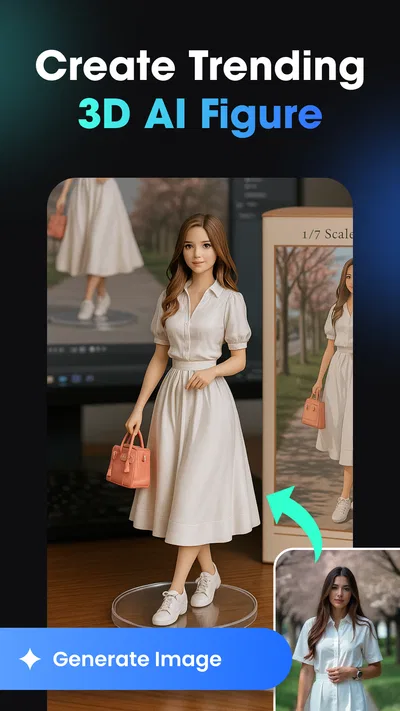
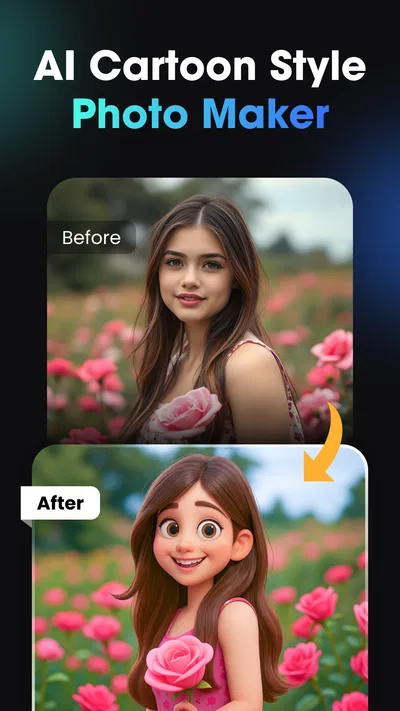
 Analysis byAppsAward
Our review of Vidix-AI Photo Video Generator
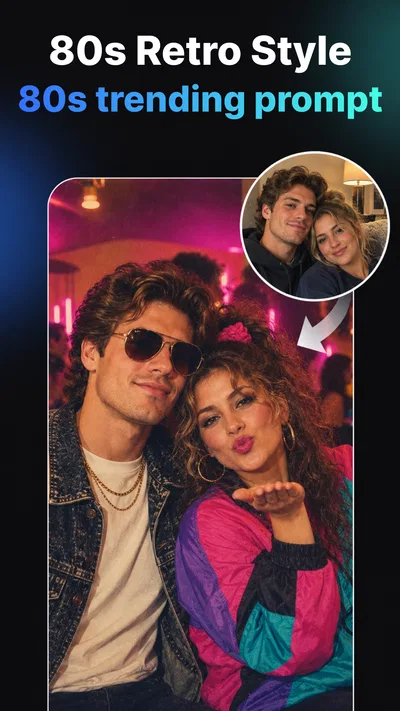
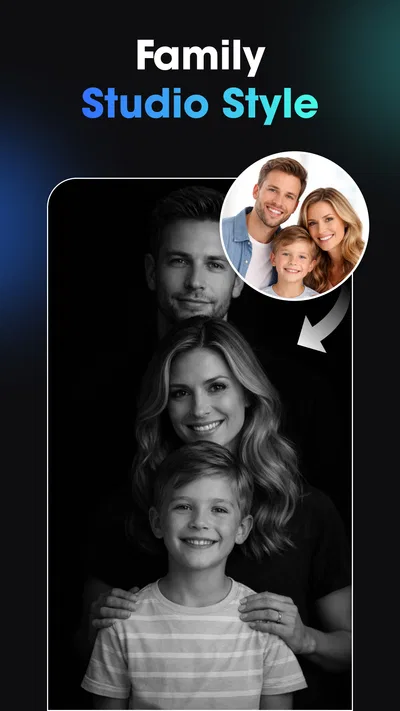
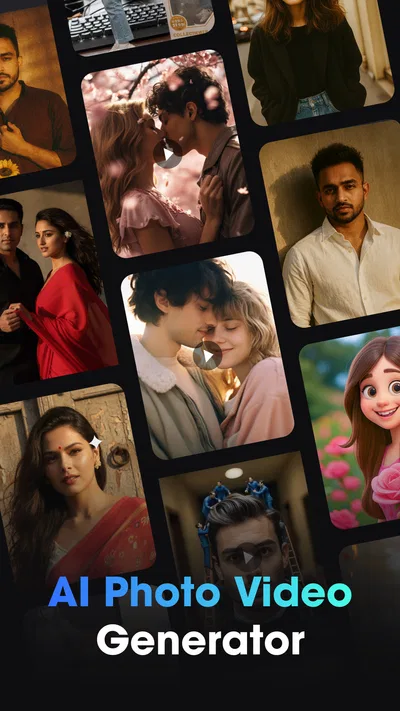
AI image and video apps are most appealing when inspiration strikes and the result is easy to share. Vidix is built around that quick creative impulse: it turns a photo or an idea for a visual style into a more dramatic, stylized result, with effects that lean into current AI-art aesthetics. I see it as a playful editing app rather than a replacement for a full photo or video workstation. Its biggest appeal is the chance to experiment on a phone; its main practical question is how smoothly that experiment fits into a real mobile connection.
Vidix is a free Art & Design app from Supercool Labs, with optional in-app purchases ranging from $0.99 to $79.99 per item. It is rated for Everyone, and its current version is 1.3.0. The app has a 4.2 average from around 116,000 ratings and more than 10 million installs, which suggests broad interest in its style of quick AI creation. Those figures are useful context, but they do not tell you whether its particular look will suit your photos; the best way to judge that is to try a small, low-stakes edit first.
Creative sessions depend on a working connection
Vidix’s central idea is straightforward: use AI-driven effects and visual treatments to create images or video that feel more distinctive than a basic filter. That makes connectivity relevant to the experience. AI creation commonly involves sending a request for processing, and a weak or interrupted connection can make a creative session feel less immediate. I would open the app when I have a stable connection if I’m planning to explore several looks, rather than assuming every step will be equally responsive on a spotty signal.
Articles related to Vidix-AI Photo Video Generator
The network matters most at the moment you want to turn an idea into a finished result. Browsing or choosing a style is one kind of activity; generating a new visual is another. If a result takes longer than expected, I’d avoid repeatedly tapping the same control. First check whether the connection has returned, then give the current attempt a moment to settle before starting over. That simple habit can prevent duplicate requests and confusion about which version is the one you meant to keep.
There is also a useful distinction between inspiration and production. Vidix makes sense when I’m exploring a look for fun, a profile image, or a short social post. If I’m on a deadline and need a predictable edit, the uncertainty of a network-dependent creative step can be frustrating. A conventional editor with local adjustments is often the safer choice when speed and repeatability matter more than an unexpected AI transformation.
Use it where a quick visual experiment fits
The app’s phone-first appeal is easiest to understand in everyday situations. Imagine taking a portrait during a lunch break, then wanting a more illustrative version to share with friends. Vidix gives that casual moment a creative direction without requiring a desktop workflow or a deep knowledge of image editing. I’d start with a photo that has a clear subject and a simple background; visually busy scenes can make it harder to tell whether the effect has improved the image or merely made it more elaborate.
For video, I’d treat the app as a place to test a visual mood rather than as a complete production suite. A short clip is easier to evaluate than a long project, and it gives you a practical sense of whether the chosen treatment preserves the action and subject you care about. If the goal is polished, tightly edited footage with precise timing, a dedicated video editor is likely better suited to the job. Vidix is more compelling when the visual transformation itself is the point.
A small workflow choice can make a noticeable difference: keep an untouched copy of the original before experimenting. AI styling can change the character of a face, a background, or fine details in ways you may like at first and reconsider later. Having the source nearby means you can compare the result honestly, try a different direction, or return to a natural version without losing the image that mattered in the first place.
What to do when a generation stalls
Any app that depends on online processing can be less satisfying in a basement, on a crowded public network, or while moving between coverage areas. If a creation appears stuck, I’d begin with the least disruptive recovery: wait briefly, check that the phone still has a usable connection, and reopen the relevant screen only if it remains unresponsive. Avoid making several new attempts in quick succession, especially if the app has not made clear whether the first one completed. That approach reduces uncertainty and helps you avoid wasting time reviewing near-identical outputs.
For a trip or commute, it is sensible to plan around the creative task rather than count on uninterrupted generation. Choose the photo or clip before leaving, decide what sort of result you want, and save the finished work when you have a reliable connection. This is not a claim that the app offers offline creation; it is simply a practical way to avoid beginning a network-sensitive task at the least convenient moment.
Another useful recovery habit is to keep expectations modest when trying a new style. Make one change at a time and assess the result before moving on. If you alter the source image, switch styles, and retry repeatedly, it becomes difficult to know whether the improvement came from the source, the effect, or a better connection. A simple comparison gives you a clearer answer and makes experimentation feel less like guesswork.
Be deliberate with mobile data and purchases
AI images and video can involve more than a quick tap, so I would use a stable Wi-Fi connection for extended experimentation when practical. That is especially sensible if you plan to test many variations or work with video. If you are using mobile data, keep the session focused: choose a promising source, try a limited set of looks, and check your phone’s data usage if you want to understand the broader impact. The app’s exact network consumption can vary with what you create, so a fixed estimate would not be useful.
Vidix is free to install, but some in-app items cost money, with listed purchases spanning $0.99 to $79.99 each. I’d look carefully at the purchase screen before confirming anything and consider whether a paid option solves a need you actually have. For casual use, there is little reason to rush into spending before you know whether the app’s visual style is one you’ll return to. A free starting point is a good opportunity to test the workflow and assess the results on your own photos.
It is also worth being selective about which pictures you use in any AI creative tool. Choose images you are comfortable working with, particularly when testing unfamiliar effects, and keep personal originals organized separately. This is a sensible habit for mobile photo editing in general; it does not require assuming anything specific about Vidix’s data practices. The practical benefit is control: you know which source you selected and can retain a clean copy outside the experiment.
Where Vidix stands against familiar editors
Compared with a standard photo editor, Vidix’s attraction is the possibility of a more radical, AI-led transformation rather than careful manual tuning. Traditional editors are usually the better fit when I want precise control over exposure, crop, color, or a small blemish. They also tend to make a straightforward adjustment easier to repeat consistently. Vidix is more interesting when the question is, “What if this portrait had a completely different visual character?” rather than, “How can I correct this photo without changing its style?”
Against broad social-media editing tools, the difference is one of emphasis. A social app may combine editing with posting and audience features, while Vidix is specifically positioned around creating AI-styled photos and video. If the goal is to publish immediately within a social platform, editing there may be more convenient. If the goal is to explore an unusual look before deciding where to share it, a dedicated creative app can be a better place to experiment.
That distinction matters for expectations. AI outputs can be striking, but they are not automatically more useful than a restrained edit. An effect that looks exciting in a preview might distract from a face, soften a detail you wanted to preserve, or make a clip feel less natural. I’d judge each result by whether it serves the intended use, not by how dramatic it is. For a playful avatar, boldness may be the whole point; for a professional headshot, subtle editing is usually a stronger choice.
Who will enjoy it, and who should look elsewhere
I’d recommend Vidix to people who enjoy trying fresh visual treatments on their phone and are comfortable treating AI results as creative interpretations rather than faithful retouching. It may suit someone making a fun image for a chat, testing a distinctive look for a social post, or turning a short clip into something more stylized. The app’s broad adoption and Everyone age rating make it approachable as a general creative tool, though adults should still guide younger users around purchases and the handling of personal photos.
I would skip it if you need detailed manual controls, a dependable offline workflow, or consistent output for a large batch of client images. It is also not my first pick for editing a long video project or correcting photographs with accuracy as the priority. In those cases, a conventional photo editor or a dedicated video application gives you more direct control over the parts of the image and timeline that matter.
Device compatibility is another practical consideration: Vidix requires Android 7.0 or later. The app’s release date is November 27, 2025, so anyone comparing it with older creative tools should still focus on how it behaves on their own device and connection rather than assuming that a newer release guarantees a better fit. Its current version, 1.3.0, is a useful identifier if you need to check that you are looking at the same release while deciding whether to install it.
A connectivity-aware verdict
Vidix is at its best when you have a photo or short clip ready, a stable connection, and room to experiment without needing a perfect result on the first try. I like the idea of using it as a creative detour from ordinary editing: make a copy, test one visual direction, compare it with the original, and keep the version that genuinely fits the moment. That workflow turns the app’s AI focus into an advantage rather than expecting it to replace every editing tool on your phone.
Its trade-offs are real. Network interruptions can disrupt the part of the experience that makes AI creation appealing, paid items deserve a careful look, and stylized results will not suit every subject or purpose. If you want fast, expressive experimentation, Vidix is worth trying while connected and with sensible expectations. If you need precision, predictable results, or a task that cannot pause when coverage falters, I’d reach for a more traditional editor instead.
Pros
- Creates short videos from photos with minimal editing effort.
- AI effects can give portraits a distinctive animated look.
- Simple controls make the main tools easy to explore.
- Useful for creating social media posts and profile content.
- Combines photo and video generation in one app.
Cons
- Generated results may not always match the intended prompt.
- Some features may require a paid plan or in-app credits.
- Processing time can vary depending on the effect and connection.
- AI animations may distort faces or other image details.
- Generated media may not suit users seeking realistic results.
Best Art & Design App 2026
Our verdict
Create trending AI photos & AI video with filters, effects and 3D AI art styles.
Frequently Asked Questions
What is Vidix-AI Photo Video Generator, and what can it create?
Vidix-AI Photo Video Generator is an AI-based creative app designed to turn photos and written ideas into visual content, such as short videos or stylized images. The available tools and results can depend on the app version and the features currently offered. Before downloading, check the listing to confirm which generation options, export formats, and creative effects are included.
How do I use Vidix-AI Photo Video Generator to make a video?
A typical workflow is to choose a photo or enter a prompt, select an available style or effect, and let the app generate the result. You may then be able to preview the output and save or share it. Exact steps can vary by version, so review the in-app instructions and grant access to photos or files only when needed for the project.
Is Vidix-AI Photo Video Generator free to use?
The app may be available to download without an upfront payment, but that does not necessarily mean every feature is free. AI generation, premium effects, higher usage limits, or removing watermarks may require payment or a subscription. Check the app store listing and the purchase screen for current pricing, trial terms, renewal details, and cancellation instructions before starting a paid plan.
Does Vidix-AI Photo Video Generator require an internet connection?
AI-powered creation commonly relies on online processing, so an internet connection may be needed to submit prompts, upload photos, generate content, or access certain effects. Whether previews, saved projects, or exports work offline can vary by feature and app version. If you plan to use the app while traveling or on limited data, check its requirements and consider using Wi-Fi for larger uploads.
What should I know about privacy when uploading photos to Vidix-AI Photo Video Generator?
Photos used for AI generation may be uploaded or processed by the app’s service, so review its privacy policy and the app store’s data-safety information before sharing personal images. Check how uploaded content is handled, whether it may be retained, and what deletion options are available. Avoid submitting sensitive images, and grant only the permissions needed for the features you intend to use.

Download Vidix-AI Photo Video Generator
Similar apps
View all 9.6
Canva: AI Photo & Video Editor
Art & Design
 7.6
Google Flow
Art & Design
 9.3
Artmate: Drawing Together
Art & Design
 7.5
Nexus - AI Video Generator
Art & Design